Needle Cloud
Manage and optimize 3D files
and host your spatial web apps.
Your 3D files, ready for the web.
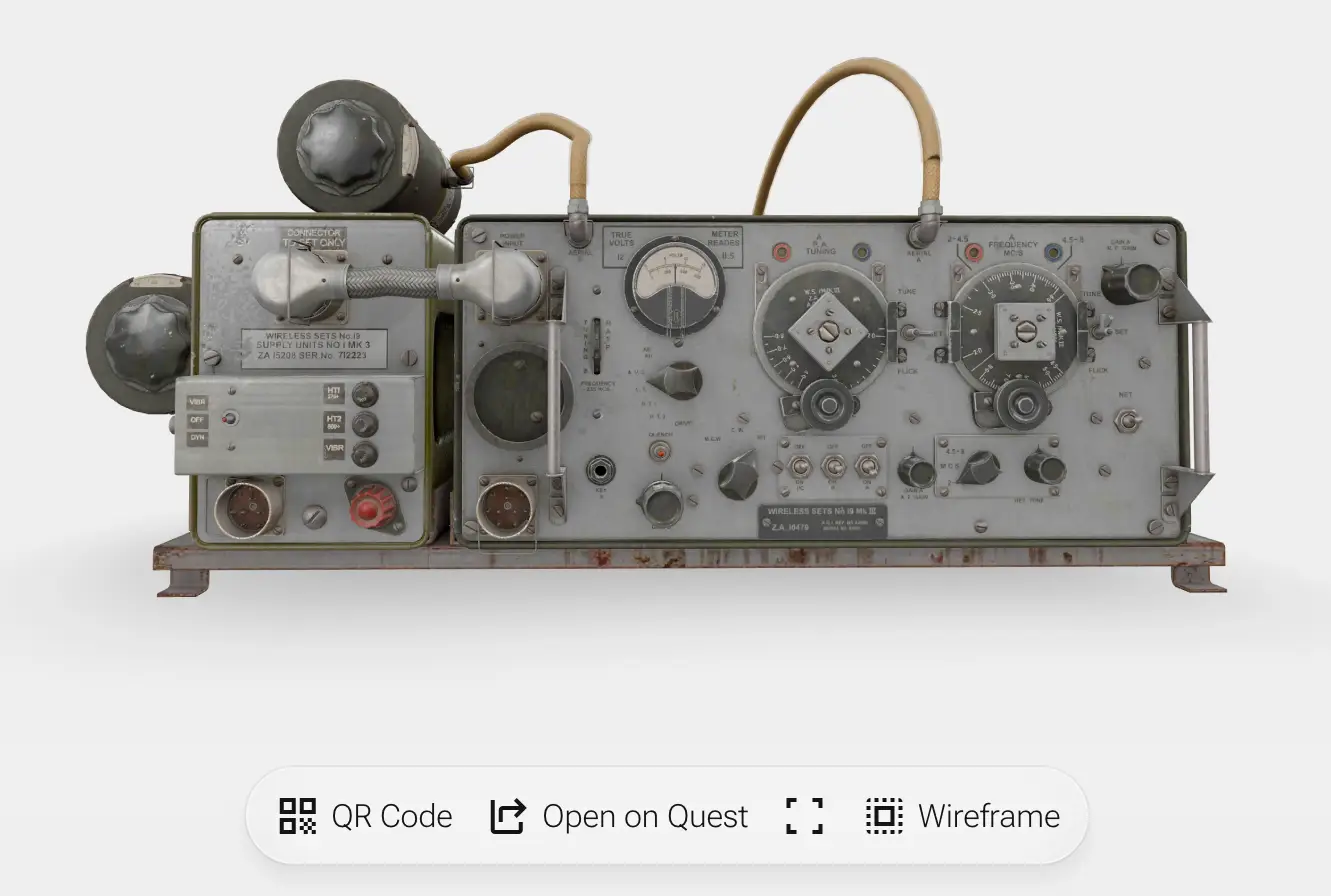
Upload your 3D assets in a variety of formats, including GLTF, USD, FBX and VRM . We prepare them for various usecases using our state-of-the-art optimization pipeline.
You can embed them in your website, share links with others, or download them for further use.
Here are some examples:
 Work Boot 99.6% saved
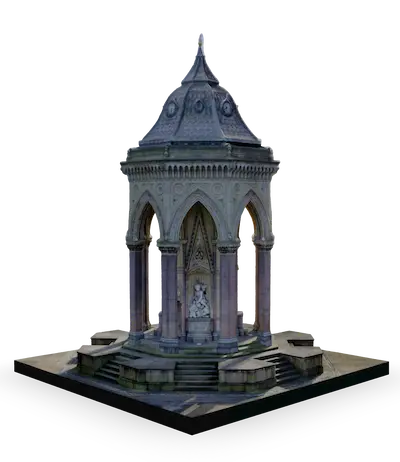 Fountain 97.9% saved
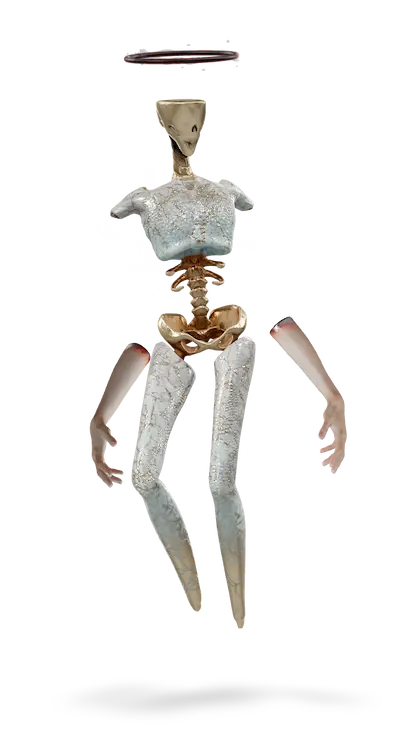 Animation 97.6% saved
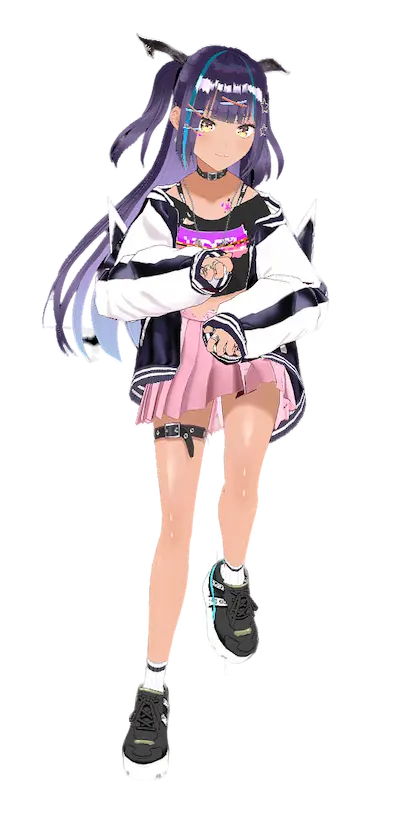 VRM Avatar 89.4% saved
Drop or select a 3D file
FBX
VRM
OBJ
ZIP
Supported formats: glTF, GLB, VRM, OBJ, FBX, USDZ, USD
Magically optimized
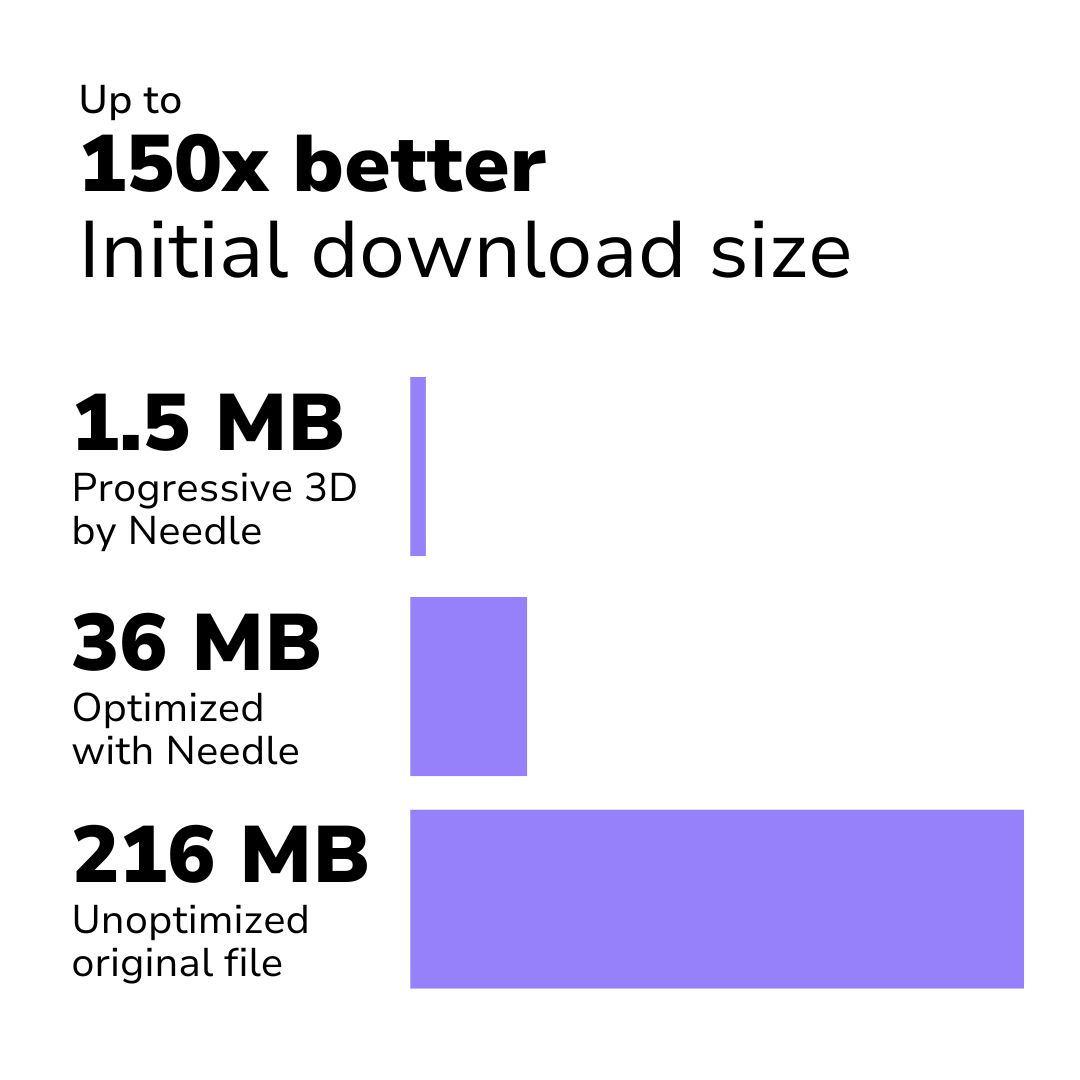
The web is all about performance. Our pipeline automatically generates multiple levels of detail for meshes and textures, and loads them only when needed. This way, your users get the best experience, no matter the device.
Our optimization presets allow you to choose what's right for your project: from hero assets for product showcases, to scene props that are part of a complex assembly.
Get started with Needle
Flexible workflows
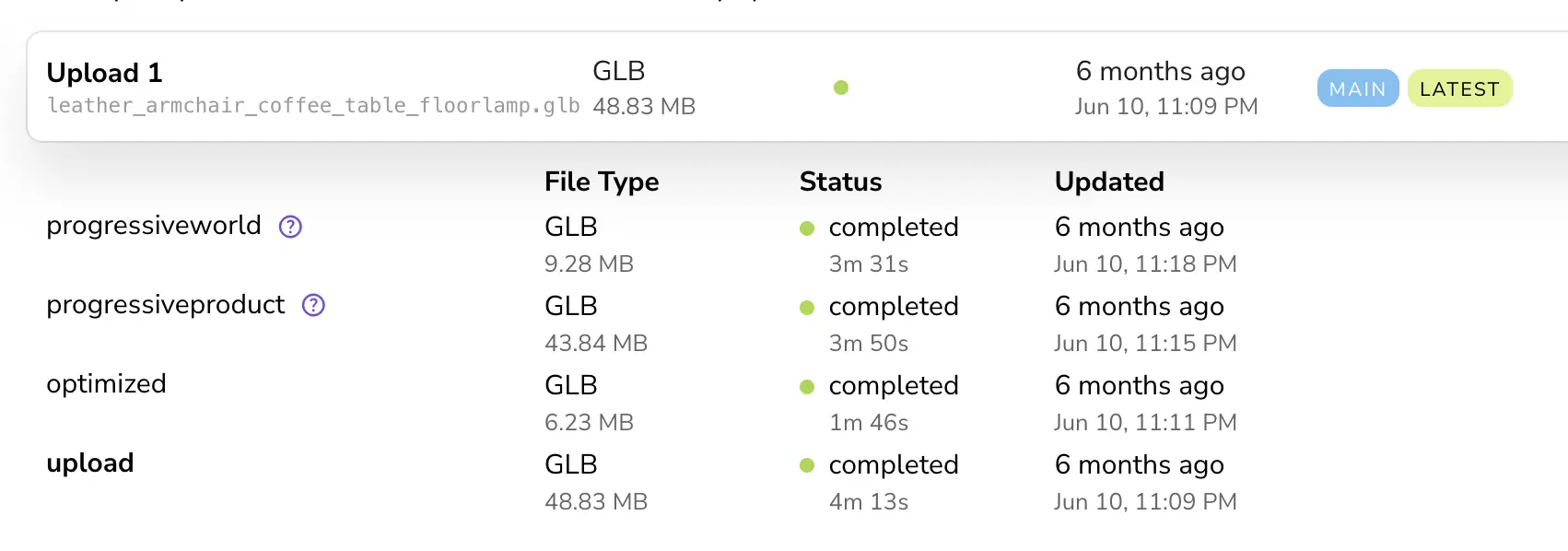
You upload a file, you get URLs for all the versions. Use them in your app, or share them with others. When you upload a new version, the URLs stay the same – so content is always up-to-date.
You can also download optimized files as glTF, ready for any engine or platform.
Learn more about tagged URLs Learn more about downloading optimized files Compare Needle to other solutions
Host your spatial web apps made with Needle Engine
Spatial Web Hosting
Bringing your spatial web apps online is now easier then ever. Say goodbye to manual server setups – host your apps directly on Needle Cloud.
Upload a new version with a single click, right from Needle Engine for Unity and Blender. Our global CDN ensures your apps load fast, no matter where your users are.
Get started for free See pricing See roadmap See comparisons
Get started with Needle
FAQ – frequently asked questions
Needle Cloud arrow_upward
wand_stars
Ask the Needle AI
chevron_right
What is Needle Cloud?
chevron_right
Why should I use Needle Cloud?
chevron_right
Do I have to use Needle Cloud to deploy Needle Engine projects?
chevron_right
How do I upload 3D assets to Needle Cloud?
chevron_right
How do I upload websites to Needle Cloud?
chevron_right
What kind of files can I upload?
chevron_right
How does Needle Cloud optimize my files?
chevron_right
Is Needle Cloud like Sketchfab, Fab, or other 3D marketplaces?
chevron_right
Is Needle Cloud secure? Can I keep my projects private?
chevron_right
How much does Needle Cloud cost?
chevron_right
How does Needle Cloud relate to Needle Engine?
chevron_right
How do we make your 3D models load faster?
Needle Engine arrow_upward
chevron_right
What is Needle Engine?
chevron_right
Can I really make apps where users don't need to install anything?
chevron_right
What devices and browsers does Needle Engine support?
chevron_right
How does Needle Engine work with Unity?
chevron_right
How does Needle Engine work with Blender?
chevron_right
Can I use Needle Engine without Unity or Blender?
chevron_right
I'm using another 3D software. Can I use Needle Engine?
chevron_right
What are the core technologies behind Needle Engine?
chevron_right
I need high-quality visuals. Is that possible on the web?
chevron_right
Can I use visual shader tools like Unity's Shader Graph?
chevron_right
How does Needle Engine handle light, shadows, and lightmaps?
chevron_right
Can I create collaborative apps or multiplayer games with Needle?
chevron_right
Does Needle Engine support Augmented Reality on Android and iOS?
chevron_right
What are Everywhere Actions?
chevron_right
Does Needle Engine support physics simulation?
chevron_right
Can I use animations and sequencing in Needle Engine?
chevron_right
Can I write custom code or make my own components?
chevron_right
Do I have to write code to work with Needle Engine?
chevron_right
How does Needle Engine make projects load so fast on the web?
chevron_right
What do I need to install to use Needle Engine on my computer?
chevron_right
Is Needle Engine free? Can it be used for commercial projects?
chevron_right
Where can I find documentation, tutorials, and examples?
chevron_right
Can I use AI tools with Needle Engine?
chevron_right
How can I get support or connect with the community?
chevron_right
Where can I host apps made with Needle?
chevron_right
Can I integrate OAuth or other authentication methods?
chevron_right
Can Needle Engine connect to backend databases or APIs?
chevron_right
Can Needle Engine scale to many users? What about multiplayer?
Usecases arrow_upward
chevron_right
Can I create configurators with Needle Engine?
chevron_right
Can I make web games with Needle Engine?
chevron_right
Can I showcase my product with Needle Engine?
chevron_right
Can I use Needle Engine for tradeshows or other areas with limited internet access?
chevron_right
Can apps made with Needle run without internet access?
chevron_right
Can I create Facebook Instant Games with Needle Engine?
Licensing and Compliance arrow_upward
chevron_right
How do you handle data privacy and compliance (e.g. GDPR, CCPA)?
chevron_right
Who owns the intellectual property (IP) I create using Needle Engine?
chevron_right
Can I use Needle Engine for commercial projects?
chevron_right
Is Needle Cloud secure? How is my data handled?
chevron_right
What are the licensing options for commercial or enterprise use?
chevron_right
Are there specific features for Enterprise teams?
chevron_right
Can Needle Engine or Needle Cloud be self-hosted or run on-premise?
chevron_right
Where can I find the official legal terms (EULA, Privacy Policy)?
chevron_right
Do you offer special licenses for Education (students, teachers, schools)?
chevron_right
What about licenses for non-profit organizations or startups?
chevron_right
What about licenses for Content Creators (YouTubers, Streamers, Bloggers)?
Needle in comparison to other solutions arrow_upward
Compare Needle with other 3D web solutions across a range of features. This comparison highlights the strengths and capabilities of each platform to help you make an informed decision for your next web 3D project.
Direct Comparisons
Looking for a specific comparison? Check out these head-to-head platform comparisons:
Needle vs. three.js Needle vs.
Show More
This is an interactive comparison table. Hover over the features to see more details.

Web-first runtime integrated with Unity and Blender plugins, complemented by Needle Cloud for optimization and hosting.

Low-level JavaScript library for creating 3D graphics directly in the browser using WebGL.

A Google-developed web component for easily embedding interactive 3D models (glTF/GLB) and AR experiences into HTML pages.

The WebGL export target for the Unity game engine allows deployment of Unity projects to web browsers using WebGL and WASM.

Open-source engine/framework with integrated visual tools, focusing on ease of use and comprehensive features for games and applications.

Combines an open-source engine with a proprietary cloud-based visual editor focused on collaborative game and interactive web app development.

A React renderer for three.js, enabling declarative building of 3D scenes using React components and hooks.

A commercial platform specializing in high-quality, markerless WebAR experiences, featuring a cloud editor and advanced tracking capabilities.

An open-source web framework for building VR/AR experiences using a familiar HTML-based entity-component system built on top of three.js.

A web-based, real-time collaborative 3D design tool focused on creating interactive web experiences without requiring coding knowledge. Exports self-contained web packages or specific formats.

A feature of the free and open-source Godot Engine, allowing projects to be compiled to WebGL and Wasm for browser deployment, though with some limitations.

A commercial toolkit for creating interactive 3D web experiences directly from Blender, 3ds Max, or Maya using visual scripting (Puzzles).

High-fidelity engine primarily for native games/apps. Web strategy focuses on Pixel Streaming (server-side rendering) or exporting assets (glTF) for use in other web engines.

Leading online platform for publishing, sharing, discovering, and embedding 3D/VR/AR models, featuring a high-quality universal web viewer.

An enterprise-focused web platform offering integrated no-code/low-code tools for creating 3D/AR/VR experiences like virtual showrooms, product presentations, and events.

A web-based platform focused on creating and hosting social 3D environments accessible via web and VR.

A specialized commercial tool (Cloud & CLI) focused on advanced, automated 3D model optimization and conversion for web and other platforms.

An Adobe Creative Cloud application (iOS app & Desktop beta) for creating interactive mobile AR experiences with a no-code, visual workflow, aimed at designers.

Apple's advanced visual authoring tool integrated with Xcode for creating 3D scenes and spatial computing experiences for Apple platforms (especially visionOS) using RealityKit.

An open-source, TypeScript-based engine from Ant Group, designed with a mobile-first philosophy for performant web apps, offering code-first or editor workflows.
Core Platform & Workflow
Solution Type
3D Engine
Cloud Platform
Authoring Tool
Optimization Tool
Web Component
Needle
Solution Type: 3d-engine, cloud-platform, authoring-tool, optimization-tool, web-component
A comprehensive suite including a runtime engine, cloud services for optimization/hosting, authoring via Unity/Blender plugins, and embeddable web component output.
3D Engine
three.js
Solution Type: 3d-engine
A foundational JavaScript library providing tools to draw 3D scenes using WebGL.
Web Component
Solution Type: web-component
A custom HTML element (
3D Engine
Authoring Tool
Unity WebGL
Solution Type: 3d-engine, authoring-tool
Allows exporting projects built with the Unity Editor to run in browsers via WebGL/Wasm.
3D Engine
Web Component
Authoring Tool
Babylon.JS
Solution Type: 3d-engine, web-component, authoring-tool
A comprehensive framework providing an engine, rendering capabilities, and integrated tools like the Node Material Editor and Inspector.
3D Engine
Cloud Platform
Authoring Tool
PlayCanvas
Solution Type: 3d-engine, cloud-platform, authoring-tool
An open-source runtime engine coupled with a proprietary, web-based collaborative visual editor platform.
3D Engine
React-Three-Fiber
Solution Type: 3d-engine
Acts as a React renderer, mapping React components to underlying three.js objects.
Cloud Platform
Authoring Tool
3D Engine
8th Wall
Solution Type: cloud-platform, authoring-tool, 3d-engine
A comprehensive platform providing AR tracking engine, cloud-based IDE (Cloud Editor, Niantic Studio), hosting, and specialized AR features.
8th Wall Website 8th Wall Product Page
Framework
Web Component
A-Frame
Solution Type: Framework, web-component
A framework that allows creating 3D/VR/AR scenes using custom HTML tags (web components) built upon three.js.
3D Engine
Cloud Platform
Authoring Tool
Web Component
Spline
Solution Type: 3d-engine, cloud-platform, authoring-tool, web-component
An online platform for 3D design and animation, with direct export options for web integration.
Spline Website What is Spline?
3D Engine
Authoring Tool
Godot
Solution Type: 3d-engine, authoring-tool
Allows exporting projects made in the Godot Editor to run in browsers using WebGL/Wasm.
Godot Engine Website Godot Docs - Exporting for Web
3D Engine
Authoring Tool
Framework
Verge3D
Solution Type: 3d-engine, authoring-tool, Framework
A toolkit comprising a WebGL-based engine and tools for exporting/adding interactivity (Puzzles) from DCC software.
Authoring Tool
Unreal Engine
Solution Type: authoring-tool
Primarily an authoring tool for creating experiences delivered via Pixel Streaming. No longer supports direct WebGL/Wasm client export.
Unreal Engine Website glTF Export Docs Pixel Streaming Docs
Cloud Platform
Sketchfab
Solution Type: cloud-platform
A platform focused on hosting, discovering, and viewing 3D assets, providing an embeddable viewer.
Cloud Platform
Authoring Tool
3D Engine
Rooom
Solution Type: cloud-platform, authoring-tool, 3d-engine
An all-in-one platform ('Enterprise Metaverse') providing a CMS, visual editors, hosting, and underlying rendering technology for business use cases.
Cloud Platform
Authoring Tool
Spatial.io
Solution Type: cloud-platform, authoring-tool
A platform for building, hosting, and experiencing shared social 3D spaces ('metaverse').
Optimization Tool
Cloud Platform
RapidPipeline
Solution Type: optimization-tool, cloud-platform
A dedicated tool for optimizing 3D assets, available as a cloud service or command-line interface (CLI).
Authoring Tool
Cloud Platform
Adobe Aero
Solution Type: authoring-tool, cloud-platform
A tool for authoring AR experiences, leveraging Adobe Cloud for asset management and sharing.
Authoring Tool
Reality Composer Pro
Solution Type: authoring-tool
A visual editor for creating RealityKit scenes, tightly integrated with Xcode for Apple platform development.
Apple Developer - Reality Composer Pro Apple Developer Docs
3D Engine
Authoring Tool
Galacean Engine
Solution Type: 3d-engine, authoring-tool
An open-source engine with an accompanying visual editor, focused on mobile web performance.
Galacean GitHub Galacean Engine GitHub
Made for the web
Needle
Made for the web: Yes
Built from the ground up for the web, focusing on fast loading, efficient rendering, and cross-platform web deployment.
three.js
Made for the web: Yes
A foundational technology designed specifically for creating 3D graphics on the web.
Made for the web: Yes
Focuses on ease of use, optimized loading (lazy loading, poster), and performance for web display.
Unity WebGL
Made for the web: No
Unity is a desktop- and mobile-first engine. It has a WebGL export option, but it's not from its core designed for the web. Often requires significant manual optimization for web performance and load times.
Unity Manual - WebGL Optimizations
Babylon.JS
Made for the web: Yes
Specifically designed and optimized for high-performance web rendering.
PlayCanvas
Made for the web: Yes
Designed and optimized for web deployment, particularly for games and interactive ads.
React-Three-Fiber
Made for the web: Yes
Leverages React's performance features and three.js's web focus.
8th Wall
Made for the web: Yes
Specifically optimized for delivering AR experiences through mobile web browsers.
A-Frame
Made for the web: Yes
Aims to make WebXR development accessible and performant on the web.
Spline
Made for the web: Yes
Focuses on creating optimized interactive experiences specifically for the web, with tools to analyze and improve performance.
Spline Optimization Performance Panel
Godot
Made for the web: No
Web is an export target, not the primary design focus. Performance and features may lag behind native builds.
Verge3D
Made for the web: Yes
Generates optimized output suitable for web deployment, mostly for product visualization use cases.
Unreal Engine
Made for the web: No
A high-end engine designed for native performance. Web deployment relies on asset export or streaming.
Sketchfab
Made for the web: Yes
The platform automatically processes and optimizes uploaded models for efficient web viewing.
Limited
Rooom
Made for the web: Limited
Viewers suitable for business applications. Load times are relatively high, since the viewer builds on Unity's WebGL platform.
Limited
Spatial.io
Made for the web: Limited
Designed for accessibility across web browsers and VR, balancing fidelity with performance for social experiences. Load times are relatively high because it builds on Unity's WebGL platform.
RapidPipeline
Made for the web: Yes
Its core purpose is to produce assets highly optimized for web and AR/VR delivery.
Adobe Aero
Made for the web: No
Does not run in the web. Experiences are displayed via the Adobe Aero app.
N/A (Native Apple)
Reality Composer Pro
Made for the web: N/A (Native Apple)
Optimized exclusively for performance on Apple hardware (iOS, macOS, visionOS).
Galacean Engine
Made for the web: Yes
Explicitly designed with a mobile-first philosophy for high performance on the web.
Typical Workflows
Unity Editor
Blender Editor
Code
HTML
Asset Upload
Needle
Typical Workflows: Unity Editor, Blender Editor, Code, HTML, Asset Upload
Primary workflow involves using Unity or Blender as the authoring environment, exporting scenes and logic. Custom scripts (TypeScript/JavaScript) extend functionality.
Code
three.js
Typical Workflows: Code
Development is code-centric, writing JavaScript to define scenes, materials, and interactions.
HTML
Typical Workflows: HTML
Used by adding the `
model-viewer Docs - Getting Started
Standalone Editor
Code
Unity WebGL
Typical Workflows: Standalone Editor, Code
Projects are developed using the Unity Editor with C# scripting and visual tools.
Code
Web Editor
Babylon.JS
Typical Workflows: Code, Web Editor
Supports both code-based development (TypeScript/JavaScript) and visual tools like the Node Material Editor and Inspector for scene/material configuration.
Babylon.JS Node Material Editor Babylon.JS Inspector
Web Editor
Code
PlayCanvas
Typical Workflows: Web Editor, Code
Primarily authored using the web-based visual editor, with scripting in JavaScript for custom logic.
React Components
React-Three-Fiber
Typical Workflows: React Components
Development is code-centric, building scenes declaratively using JSX and React components.
Web Editor
Code
8th Wall
Typical Workflows: Web Editor, Code
Development occurs in the Cloud Editor or Niantic Studio using JavaScript, HTML, CSS, often integrating with libraries like A-Frame or three.js.
HTML
Code
A-Frame
Typical Workflows: HTML, Code
Scenes are built primarily using HTML-like tags, with custom logic implemented in JavaScript components.
A-Frame Docs - Getting Started
Web Editor
Spline
Typical Workflows: Web Editor
Primarily a visual design tool where scenes and interactions are built using a graphical interface. Logic is handled through an event/state system.
Spline Website States, Events & Animations
Standalone Editor
Code
Godot
Typical Workflows: Standalone Editor, Code
Development uses the integrated Godot Editor, with scripting primarily in GDScript or C#.
DCC Integration
Visual Scripting
Verge3D
Typical Workflows: DCC Integration, Visual Scripting
Workflow centers around preparing scenes in Blender, 3ds Max, or Maya, then adding interactivity using the Puzzles visual editor.
Standalone Editor
Visual Scripting
Code
Unreal Engine
Typical Workflows: Standalone Editor, Visual Scripting, Code
Content creation uses the Unreal Editor with Blueprints (visual scripting) or C++.
Asset Upload
Sketchfab
Typical Workflows: Asset Upload
Users upload pre-made models and configure viewer settings (materials, lighting, annotations).
Web Editor
Visual Editor
Rooom
Typical Workflows: Web Editor, Visual Editor
Content Management System and visual tools for creating experiences without coding.
Web Editor
Unity Integration
Spatial.io
Typical Workflows: Web Editor, Unity Integration
Users build and customize spaces using intuitive, integrated visual tools and templates.
Asset Upload
CLI
RapidPipeline
Typical Workflows: Asset Upload, CLI
Operates as an automated step in a content pipeline via API, CLI, or web interface.
Standalone Editor
Adobe Aero
Typical Workflows: Standalone Editor
Designed for designers, uses a visual interface on iOS or Desktop (beta) to assemble scenes and add interactivity without coding.
Standalone Editor
Reality Composer Pro
Typical Workflows: Standalone Editor
Provides a visual interface within Xcode for assembling scenes, materials, and basic behaviors. Complex logic requires Swift code.
Apple Developer - Reality Composer Pro
Standalone Editor
Code
Galacean Engine
Typical Workflows: Standalone Editor, Code
Supports both direct coding using TypeScript and development via the Galacean Editor.
Use with Unity
Needle
Use with Unity: Yes
Deep integration with Unity Editor via dedicated plugin, allowing export of scenes, C# scripts (transpiled), materials (Shader Graph), animations, and components.
Needle Engine Documentation - Getting Started
three.js
Use with Unity: No
No direct integration. Solutions like Needle make integrating with three.js seamless.
Use with Unity: No
Consumes glTF files, which can be exported from Unity.
Unity WebGL
Use with Unity: Yes
This IS the Unity workflow, targeting WebGL output.
Babylon.JS
Use with Unity: No
No direct integration. Assets from Unity require export (e.g., glTF).
PlayCanvas
Use with Unity: No
No direct integration; assets are imported in standard formats (glTF, FBX).
React-Three-Fiber
Use with Unity: No
Not related to Unity workflow.
8th Wall
Use with Unity: No
Focuses on web technologies with a custom editor.
A-Frame
Use with Unity: No
Not related to Unity workflow.
Spline
Use with Unity: No
Exports glTF/USDZ which can be imported into Unity, but there is no direct integration or specific workflow.
Godot
Use with Unity: No
Separate engine and workflow.
Verge3D
Use with Unity: No
Does not integrate with Unity.
Unreal Engine
Use with Unity: No
Separate engine.
Sketchfab
Use with Unity: No
Consumes assets exported from various sources, including Unity.
Rooom
Use with Unity: No
Imports standard asset formats.
Spatial.io
Use with Unity: Yes
Via Spatial Toolkit, offers SDKs for importing assets or integrating experiences built with Unity.
RapidPipeline
Use with Unity: Yes
Can optimize assets destined for use in Unity projects.
Adobe Aero
Use with Unity: No
Separate ecosystem.
Reality Composer Pro
Use with Unity: No
Direct competitor/alternative for native Apple development.
Galacean Engine
Use with Unity: No
Separate engine and workflow.
Use with Blender
Needle
Use with Blender: Yes
Integration with Blender via addon, supporting export of scenes, materials, animations, and custom logic nodes.
Needle Engine Documentation - Blender
three.js
Use with Blender: No
No direct integration. Assets from Blender must be exported (e.g., as glTF) and loaded.
Use with Blender: No
Consumes glTF files, which can be exported from Blender.
Unity WebGL
Use with Blender: No
No direct integration; assets are imported in standard formats (FBX, glTF).
Babylon.JS
Use with Blender: Yes
Provides an official exporter plugin for Blender to facilitate asset transfer.
PlayCanvas
Use with Blender: No
No direct integration; assets are imported in standard formats (glTF, FBX).
React-Three-Fiber
Use with Blender: No
Consumes assets (glTF). The `gltfjsx` tool can auto-generate R3F components from glTF files.
8th Wall
Use with Blender: No
Imports standard 3D asset formats like glTF.
A-Frame
Use with Blender: No
Consumes glTF assets exported from Blender.
Spline
Use with Blender: No
Can import formats like glTF (often exported from Blender) and export glTF, but no direct integration.
Spline Exports Importing Models
Godot
Use with Blender: Yes
Godot has strong glTF import capabilities, making Blender a good companion tool.
Verge3D
Use with Blender: Yes
Offers excellent, tight integration with Blender as a primary authoring tool.
Unreal Engine
Use with Blender: No
Separate engine.
Sketchfab
Use with Blender: Yes
Offers a Blender addon for direct uploading, and consumes exported formats.
Rooom
Use with Blender: No
Imports standard asset formats.
Spatial.io
Use with Blender: No
Imports standard 3D asset formats like glTF.
RapidPipeline
Use with Blender: Yes
Can optimize assets exported from Blender (or other DCC tools).
Adobe Aero
Use with Blender: No
Imports assets in standard formats (glTF, FBX) or via Adobe Creative Cloud (Photoshop, Substance).
Adobe Aero Help - Importing Assets
Reality Composer Pro
Use with Blender: No
Primarily consumes USDZ format. Assets from Blender need conversion.
Galacean Engine
Use with Blender: No
Imports glTF assets exported from Blender.
Interactivity Building Blocks
Needle
Interactivity Building Blocks: Yes
Includes a rich set of components for common interactions, animations, and UI elements.
Limited
three.js
Interactivity Building Blocks: Limited
Three.js provides some built-in interactive components, for example loaders and camera controls, in the examples folder, but they require additional development to be used.
Interactivity Building Blocks: No
Provides built-in features for model display, camera controls, and AR placement, but not for broader interactivity.
Unity WebGL
Interactivity Building Blocks: Yes
Full Unity component system available, but WebGL export has limitations with certain features.
Limited
Babylon.JS
Interactivity Building Blocks: Limited
Offers various built-in behaviors and components for camera controls and similar, but interactions need to be created either through code or graph-based systems.
PlayCanvas
Interactivity Building Blocks: Yes
Provides a component-based architecture with pre-built components for common interactions and behaviors.
PlayCanvas User Manual - Scripting
Limited
React-Three-Fiber
Interactivity Building Blocks: Limited
Core library focuses on React integration; companion library @react-three/drei provides many ready-to-use components and helpers.
8th Wall
Interactivity Building Blocks: Yes
Provides AR-specific components for common interactions and UI elements in WebAR experiences.
A-Frame
Interactivity Building Blocks: Yes
Comprehensive component system with many built-in and community components for interactions, effects, and behaviors.
Spline
Interactivity Building Blocks: Yes
Visual design tool with built-in interactive components for common behaviors like drag, hover, click interactions.
Spline Documentation - Interactions
Godot
Interactivity Building Blocks: No
Limited built-in components, though components are available in the Godot Asset Library.
Verge3D
Interactivity Building Blocks: Yes
Visual Puzzles system provides building blocks for common interactions and behaviors without coding.
Unreal Engine
Interactivity Building Blocks: No
Components can be created via scripting, but there is no built-in library of interactivity components.
Unreal Engine Docs - Components
Sketchfab
Interactivity Building Blocks: No
Provides annotation system and basic interaction controls, but not a component system for custom behaviors.
Rooom
Interactivity Building Blocks: Yes
Provides templates and interactive components for common experiences like product showcases, virtual events, and virtual tours.
Spatial.io
Interactivity Building Blocks: Yes
Provides components for social interaction, media sharing, and space customization.
N/A
RapidPipeline
Interactivity Building Blocks: N/A
Not an authoring platform, focused on asset optimization.
Adobe Aero
Interactivity Building Blocks: Yes
Provides a library of behaviors and interactive components for AR experiences without coding.
Adding Interactivity with Triggers
Reality Composer Pro
Interactivity Building Blocks: Yes
Provides components for common AR interactions and behaviors integrated with the broader Apple ecosystem.
Galacean Engine
Interactivity Building Blocks: Yes
Offers components for common 3D interactions using engine-toolkit.
Extensible with Coding
Needle
Extensible with Coding: Yes
Uses TypeScript with full IDE support in both Unity and standalone projects.
Needle Engine Documentation - Scripting
three.js
Extensible with Coding: Yes
Uses JavaScript or TypeScript for all implementation, giving full control but requiring manual coding.
Extensible with Coding: No
Allows for JavaScript event handling and basic property manipulation via API, but not for extending core functionality.
Unity WebGL
Extensible with Coding: Yes
Uses C# scripts with IL2CPP compilation to WebAssembly, with some limitations compared to native builds.
Babylon.JS
Extensible with Coding: Yes
Supports JavaScript or TypeScript development with comprehensive API.
PlayCanvas
Extensible with Coding: Yes
JavaScript scripting system with component-based architecture.
PlayCanvas User Manual - Scripting
React-Three-Fiber
Extensible with Coding: Yes
Full scripting via React/JavaScript/TypeScript with hooks-based reactive programming model.
React Three Fiber Documentation
8th Wall
Extensible with Coding: Yes
JavaScript API for creating AR experiences, with integration for Three.js, A-Frame, or Babylon.js.
A-Frame
Extensible with Coding: Yes
Can create custom components and systems using JavaScript, or use the entity-component declarative HTML approach.
A-Frame Docs - Writing a Component
Limited
Spline
Extensible with Coding: Limited
Visual event system allows for creating interactive behaviors without coding. Limited JavaScript API for exported scenes.
Spline Documentation - JavaScript Library
Godot
Extensible with Coding: Yes
GDScript, C#, or visual scripting, with some limitations in web export.
Verge3D
Extensible with Coding: Yes
Supports JavaScript programming alongside or instead of the visual Puzzles system.
Unreal Engine
Extensible with Coding: Yes
Blueprints visual scripting and C++.
Unreal Engine Docs - Blueprints
Sketchfab
Extensible with Coding: No
Viewer API allows some programmatic control, but not full scripting of custom behaviors inside the viewer.
Rooom
Extensible with Coding: No
Primarily a no-code platform with template-based creation system.
Limited
Spatial.io
Extensible with Coding: Limited
Primary creation is through no-code tools; Unity SDK allows interpreting a C# subset for more advanced applications.
N/A
RapidPipeline
Extensible with Coding: N/A
Offers command-line interface and API for scripting optimization workflows, not for runtime interactivity.
Adobe Aero
Extensible with Coding: No
Uses a no-code trigger and action system for creating interactivity.
Reality Composer Pro
Extensible with Coding: Yes
Can be extended with Swift programming, but only for Apple platforms.
Galacean Engine
Extensible with Coding: Yes
Uses TypeScript/JavaScript with an entity-component system.
Engine Capabilities
Physically-Based Rendering
Needle
Physically-Based Rendering: Yes
Supports Physically Based Rendering (PBR), custom shaders (via Unity Shader Graph export), lighting, and post-processing effects.
Needle Engine Feature Overview
three.js
Physically-Based Rendering: Yes
Supports PBR materials, various shadow types, post-processing effects, and gives fine-grained rendering control.
Limited
Physically-Based Rendering: Limited
Supports PBR materials, environment maps, and basic lighting/shadow options, but no control over per-object shadows, reflection probes, lightmaps or other advanced rendering features.
model-viewer Docs - Lighting & Env
Unity WebGL
Physically-Based Rendering: Yes
Supports URP and HDRP rendering pipelines, but with significant limitations and performance caveats compared to native platforms.
Babylon.JS
Physically-Based Rendering: Yes
Offers advanced rendering features including PBR, IBL, advanced lighting and shadowing techniques, and post-processing effects.
PlayCanvas
Physically-Based Rendering: Yes
Supports PBR materials, shadows, post-processing effects.
React-Three-Fiber
Physically-Based Rendering: Yes
Exposes all of three.js's advanced rendering capabilities (PBR, post-processing etc.) declaratively.
Limited
8th Wall
Physically-Based Rendering: Limited
Rendering quality depends on the capabilities of the integrated engine. The Studio material model does not support all common PBR features.
Good
A-Frame
Physically-Based Rendering: Good
Leverages three.js rendering features like PBR materials, environments, and shadows, accessible via components.
A-Frame Docs - Material A-Frame Docs - Environment
Good
Spline
Physically-Based Rendering: Good
Supports PBR materials through a layer-based system, lighting (directional, spot, point), shadows, and post-processing effects.
Spline Materials Spline Lighting Spline Post Processing
Good
Godot
Physically-Based Rendering: Good
Supports PBR materials, global illumination (SDFGI, VoxelGI - limitations on web), and various post-processing effects, although web export uses the less feature-rich Compatibility renderer.
Verge3D
Physically-Based Rendering: Yes
Leverages three.js features like PBR, aiming to accurately reproduce materials and lighting from the DCC tool.
Unreal Engine
Physically-Based Rendering: Yes
High-end rendering capabilities (Nanite, Lumen, PBR) for desktop and high-performance mobile devices.
Limited
Sketchfab
Physically-Based Rendering: Limited
High-quality PBR rendering, customizable lighting, environments, post-processing effects, and material editor within the platform. No script control over rendering order, shadows, and so on. No in-scene lights.
Good
Rooom
Physically-Based Rendering: Good
Aimed at producing visually appealing product visualizations and virtual environments.
Moderate
Spatial.io
Physically-Based Rendering: Moderate
Balances visual quality with the need to support many concurrent users and run smoothly on web/VR.
RapidPipeline
Physically-Based Rendering: Yes
Aims to preserve PBR material appearance during optimization.
Adobe Aero
Physically-Based Rendering: No
Provides good visual quality optimized for mobile AR, but no advanced PBR features.
Reality Composer Pro
Physically-Based Rendering: Yes
Leverages RealityKit's USD-based rendering engine optimized for Apple platforms.
Good
Galacean Engine
Physically-Based Rendering: Good
Supports PBR materials, shadows, and various effects via core engine and extension libraries.
Component System
Needle
Component System: Yes
Leverages the component-based architecture of Unity/Blender, extended with custom web-specific components.
Needle Engine Documentation - Scripting
three.js
Component System: No
Does not enforce an ECS architecture, though one can be implemented on top.
Component System: No
Internal structure, not exposed as an ECS.
Unity WebGL
Component System: Yes
Uses Unity's core GameObject-Component architecture.
Babylon.JS
Component System: Yes
Uses an Entity Component System pattern (Nodes and Components).
PlayCanvas
Component System: Yes
Built around an Entity-Component system architecture.
React-Three-Fiber
Component System: Yes
Inherits React's component model for structuring the 3D scene.
8th Wall
Component System: Yes
Depends on the integrated rendering framework (e.g., A-Frame uses ECS).
A-Frame
Component System: Yes
Based on a highly extensible Entity-Component-System architecture.
Spline
Component System: Yes
Features a 'Component' system allowing reuse of objects and their properties, aiding in creating design systems within Spline, but differs from traditional ECS architectures.
Spline Components Spline Components Video
Godot
Component System: Yes
Uses a node-based scene structure, which functions similarly to an ECS.
Verge3D
Component System: No
Logic is primarily driven by attaching Puzzles to objects imported from the DCC scene.
Unreal Engine
Component System: Yes
Uses the Actor-Component model.
Sketchfab
Component System: No
Internal viewer architecture.
Rooom
Component System: No
Uses an internal system managed by the platform's CMS/editor.
Spatial.io
Component System: No
Uses an internal architecture managed by the platform.
N/A
RapidPipeline
Component System: N/A
Not applicable.
Adobe Aero
Component System: No
Uses triggers and actions to create interactive experiences.
Reality Composer Pro
Component System: Yes
Built on RealityKit's Entity Component System.
Apple Developer - RealityKit ECS
Galacean Engine
Component System: Yes
Built around an Entity-Component-System architecture.
Built-in Networking
Needle
Built-in Networking: Yes
Built-in real-time networking for multiplayer and collaborative applications.
Needle Engine Documentation - Networking
three.js
Built-in Networking: No
Networking capabilities must be added using external libraries.
Built-in Networking: No
Not designed for networked experiences.
Unity WebGL
Built-in Networking: Yes
Supports Unity's networking solutions (Netcode), but web deployment involves specific considerations (e.g., WebSocket transport).
Babylon.JS
Built-in Networking: No
Requires external libraries or custom implementation for real-time networking.
PlayCanvas
Built-in Networking: No
Requires external libraries or custom implementation for real-time networking, though collaborative editor uses networking tech.
React-Three-Fiber
Built-in Networking: No
Requires external libraries for networking.
8th Wall
Built-in Networking: No
Networking needs to be implemented using external libraries or services.
A-Frame
Built-in Networking: No
Networking requires external components like `networked-aframe`.
Spline
Built-in Networking: No
Supports real-time collaboration within the editor but does not provide features for runtime networking or multiplayer experiences in exported applications.
Godot
Built-in Networking: Yes
Includes high-level networking APIs, but web exports have constraints (e.g., no UDP, rely on WebSockets/WebRTC).
Godot Docs - Networking Godot Docs - Web limitations
Limited
Verge3D
Built-in Networking: Limited
Networking features can be implemented via JavaScript/Puzzles using external services, but not built-in.
Unreal Engine
Built-in Networking: Yes
Pixel Streaming is fundamentally a networking solution. Unreal Engine has robust native networking.
Sketchfab
Built-in Networking: No
Doesn't support multi-user experiences.
Rooom
Built-in Networking: Yes
Includes networking for shared virtual events and showrooms.
Limited
Spatial.io
Built-in Networking: Limited
Built-in networking for avatar interactions, voice chat, and shared experiences. Not extensible.
N/A
RapidPipeline
Built-in Networking: N/A
Not applicable.
Adobe Aero
Built-in Networking: No
Designed for single-user AR experiences.
Via Native Frameworks
Reality Composer Pro
Built-in Networking: Via Native Frameworks
Networking is handled using standard Apple frameworks (e.g., Network.framework).
Galacean Engine
Built-in Networking: No
Requires external libraries for networking capabilities.
Timelines and Sequencing
Needle
Timelines and Sequencing: Yes
Supports timeline-based sequencing, complex animations, animator state machines, blending, and more.
three.js
Timelines and Sequencing: No
Basic animation system exists, but no built-in timeline or sequencing system.
Timelines and Sequencing: No
Can play animations embedded in glTF but has no built-in sequencing system.
Unity WebGL
Timelines and Sequencing: Yes
Unity Timeline and Animation systems are supported in WebGL export.
Babylon.JS
Timelines and Sequencing: No
Sequencing animations involves programming, not via a timeline or dedicated tools.
Limited
PlayCanvas
Timelines and Sequencing: Limited
Basic animation system but no comprehensive timeline or sequencing tool.
PlayCanvas User Manual - Animation
React-Three-Fiber
Timelines and Sequencing: No
Not built in. Timeline and sequencing available through libraries like Theatre.js or custom React animation solutions.
8th Wall
Timelines and Sequencing: No
No built-in timeline or sequencing system, relies on manual animation code or framework features.
Limited
A-Frame
Timelines and Sequencing: Limited
Basic animation component with support for keyframes, but no comprehensive timeline system.
Spline
Timelines and Sequencing: Yes
Includes timeline-based animation system for keyframe animation and sequencing.
Spline Documentation - Animation
Godot
Timelines and Sequencing: No
Animation state machines are supported via AnimationTree and AnimationPlayer, however there is no dedicated timeline/sequencing tool.
Verge3D
Timelines and Sequencing: No
Sequencing can be programmed using Puzzles, but no dedicated sequencing tools.
Unreal Engine
Timelines and Sequencing: Yes
Comprehensive Sequencer timeline system for cinematic sequences and complex animation control.
Unreal Engine Docs - Sequencer
Sketchfab
Timelines and Sequencing: No
Can play animations embedded in models but has no sequencing or timeline system.
Rooom
Timelines and Sequencing: No
Basic event-based triggers and animations for interactions, but no comprehensive timeline system.
Limited
Spatial.io
Timelines and Sequencing: Limited
Basic trigger-based interactions but no comprehensive timeline system in the platform itself.
RapidPipeline
Timelines and Sequencing: No
Does not preserve sequencing data from source formats that support sequencing.
Adobe Aero
Timelines and Sequencing: No
Basic animation capabilities and directable characters, but no complex sequencing system.
Reality Composer Pro
Timelines and Sequencing: Yes
Supports timeline-based animation and sequencing through OpenUSD.
Apple Developer - RealityKit Animation
Limited
Galacean Engine
Timelines and Sequencing: Limited
Basic animation system but limited timeline or sequencing tools.
Animation Controls
Needle
Animation Controls: Yes
Supports complex animations authored in Unity (Animator, Timeline) or Blender and exports them for the web.
Needle Engine Feature Overview
three.js
Animation Controls: Yes
Provides core functionalities for keyframe animation playback and morph targets.
Animation Controls: Yes
Can play animations embedded within the loaded glTF model.
model-viewer Docs - Animations
Unity WebGL
Animation Controls: Yes
Supports Unity's animation systems (Mecanim, Timeline).
Babylon.JS
Animation Controls: Yes
Includes an advanced animation system supporting keyframes, skeletal animation, and blending.
PlayCanvas
Animation Controls: Yes
Supports skeletal animation and state graph animations.
React-Three-Fiber
Animation Controls: Yes
Leverages three.js's animation system, often managed via React state and hooks.
8th Wall
Animation Controls: Yes
Animation capabilities depend on the chosen rendering engine.
Limited
A-Frame
Animation Controls: Limited
Includes a built-in animation component and leverages three.js animations.
Spline
Animation Controls: Yes
Supports keyframe animation, state-based transitions, and interactive events to trigger animations.
Spline Features States, Events & Animations
Godot
Animation Controls: Yes
Supports Godot's AnimationPlayer, AnimationTree, and related nodes.
Verge3D
Animation Controls: Yes
Imports and controls animations created in the host DCC application (Blender, Max, Maya).
Unreal Engine
Animation Controls: Yes
Supports complex animations.
Sketchfab
Animation Controls: Yes
Plays animations embedded in the uploaded models.
Rooom
Animation Controls: Yes
Supports product animations, avatar interactions, and potentially environment animations.
Limited
Spatial.io
Animation Controls: Limited
Supports avatar animations and basic object animations.
Preserves Animation
RapidPipeline
Animation Controls: Preserves Animation
Aims to preserve skeletal animations during the optimization process.
Adobe Aero
Animation Controls: Yes
Supports imported animations and allows creating simple animations/movements on a timeline.
Reality Composer Pro
Animation Controls: Yes
Supports creating and controlling animations within RealityKit scenes.
Galacean Engine
Animation Controls: Yes
Supports skeletal animation, blend shapes, and an animation state machine.
Animated Materials
Needle
Animated Materials: Yes
Supports material animations, shader graph, and procedural material effects.
three.js
Animated Materials: No
Supports material animation through code, but not for imported assets.
Animated Materials: No
Supports materials in the glTF, including basic animation defined in the model, but no dynamic material creation or animation.
Unity WebGL
Animated Materials: Yes
Materials are integrated into the animation system.
Babylon.JS
Animated Materials: Yes
Rich support for material animation, dynamic textures, and shader effects.
PlayCanvas
Animated Materials: Yes
Supports material animation and shader-based effects.
PlayCanvas User Manual - Materials
React-Three-Fiber
Animated Materials: Yes
Supports animated materials via shader materials and libraries like lamina or through direct Three.js material manipulation.
Via Framework
8th Wall
Animated Materials: Via Framework
Depends on the underlying framework used (Three.js, A-Frame, etc.).
A-Frame
Animated Materials: Yes
Supports animated textures and shader-based material effects through components.
Spline
Animated Materials: Yes
Supports material animation through the timeline system and visual animation tools.
Spline Documentation - Materials
Godot
Animated Materials: Yes
AnimationPlayer can animate material properties as well.
Verge3D
Animated Materials: No
Supports dynamic material changes through Puzzles, but no animation clips for materials.
Unreal Engine
Animated Materials: Yes
Advanced material system with dynamic parameters, material instances, and material functions.
Unreal Engine Docs - Materials
Sketchfab
Animated Materials: No
Supports animated textures in uploaded models but no custom material animation creation.
Rooom
Animated Materials: No
Limited to pre-built templates and imported animations.
Limited
Spatial.io
Animated Materials: Limited
Supports animated textures but limited material animation capabilities.
RapidPipeline
Animated Materials: No
Preserves animations from source files but does not support animated materials.
Adobe Aero
Animated Materials: No
No support for importing animated materials at this point.
Reality Composer Pro
Animated Materials: No
Material properties can't be animated, but some shader-based animations are possible.
Galacean Engine
Animated Materials: Yes
Supports material animation and shader effects, with focus on mobile performance.
Audio Playback
Needle
Audio Playback: Yes
Supports spatial audio configured via Unity/Blender components.
three.js
Audio Playback: Yes
Includes support for positional audio using the Web Audio API.
Audio Playback: No
Does not have built-in audio features.
Unity WebGL
Audio Playback: Yes
Includes Unity's built-in audio engine.
Babylon.JS
Audio Playback: Yes
Features a comprehensive audio engine with support for spatial audio and effects.
PlayCanvas
Audio Playback: Yes
Includes features for playing audio sources, including positional audio.
React-Three-Fiber
Audio Playback: Yes
Utilizes three.js's audio capabilities, accessible through React components.
8th Wall
Audio Playback: Yes
Audio capabilities depend on the chosen rendering engine.
A-Frame
Audio Playback: Yes
Supports positional audio through dedicated components.
Spline
Audio Playback: Yes
Supports adding sounds to scenes, including positional audio and background music.
Godot
Audio Playback: Yes
Includes Godot's audio engine capabilities.
Verge3D
Audio Playback: Yes
Supports audio playback, including positional audio, controlled via Puzzles.
Unreal Engine
Audio Playback: Yes
Audio features are part of the engine.
Sketchfab
Audio Playback: No
Sketchfab used to support embedded audio in the past, but doesn't support it anymore.
Rooom
Audio Playback: Yes
Includes audio capabilities for environments and events.
Spatial.io
Audio Playback: Yes
Includes spatial audio for real-time voice communication between avatars.
N/A
RapidPipeline
Audio Playback: N/A
Not applicable.
Adobe Aero
Audio Playback: Yes
Supports adding audio to AR experiences.
Reality Composer Pro
Audio Playback: Yes
Leverages RealityKit's spatial audio features.
Galacean Engine
Audio Playback: Yes
Basic audio support.
Video Playback
Needle
Video Playback: Yes
Supports video textures and playback controlled via components.
three.js
Video Playback: Yes
Supports using HTML video elements as textures.
Video Playback: No
Does not directly support video textures.
Unity WebGL
Video Playback: Yes
Supports video playback via the VideoPlayer component, but performance can be a concern on WebGL.
Babylon.JS
Video Playback: Yes
Supports video textures.
Babylon.JS Docs - VideoTexture
PlayCanvas
Video Playback: Yes
Supports video textures.
PlayCanvas Tutorial - Video Textures
React-Three-Fiber
Video Playback: Yes
Supports video textures via three.js.
8th Wall
Video Playback: Yes
Supports video textures through integrated rendering engines.
A-Frame
Video Playback: Yes
Supports using videos as textures through the asset management system.
Spline
Video Playback: Yes
Supports using videos as textures on 3D models.
Spline Video Textures Spline Features
Godot
Video Playback: Yes
Supports video playback using the VideoStreamPlayer node.
Verge3D
Video Playback: Yes
Supports video textures controlled via Puzzles.
Unreal Engine
Video Playback: Yes
Supported within the streamed Unreal application.
Sketchfab
Video Playback: No
Focuses on static and animated 3D models.
Rooom
Video Playback: Yes
Supports integrating video content into virtual spaces and events.
Spatial.io
Video Playback: Yes
Supports screen sharing and embedding media within spaces.
RapidPipeline
Video Playback: No
Not applicable.
Adobe Aero
Video Playback: Yes
Supports importing and playing video files within the AR scene.
Reality Composer Pro
Video Playback: Yes
Supported via RealityKit.
Galacean Engine
Video Playback: Yes
Supports video textures via extension libraries.
Physics Integration
Needle
Physics Integration: Yes
Integrates with physics engines, configured via Unity/Blender components.
three.js
Physics Integration: No
Requires integration with external physics libraries like Rapier, Cannon.js, or Ammo.js.
Physics Integration: No
Focuses on model display, does not include physics.
Unity WebGL
Physics Integration: Yes
Includes Unity's built-in physics engines (PhysX/Box2D).
Babylon.JS
Physics Integration: Yes
Offers built-in physics integration with plugins for Havok and other engines.
PlayCanvas
Physics Integration: Yes
Integrates the ammo.js physics engine (Wasm port of Bullet).
React-Three-Fiber
Physics Integration: Yes
Integrates physics through companion libraries like @react-three/rapier or @react-three/cannon.
8th Wall
Physics Integration: Yes
Physics capabilities depend on the chosen rendering engine.
A-Frame
Physics Integration: Yes
Physics is added through community components like `aframe-physics-system`.
Spline
Physics Integration: Yes
Includes built-in physics simulation capabilities for creating dynamic interactions.
Godot
Physics Integration: Yes
Includes Godot's built-in 2D and 3D physics engines.
Verge3D
Physics Integration: Yes
Physics can be enabled and controlled via Puzzles visual scripting.
Unreal Engine
Physics Integration: Yes
Physics simulation is part of the engine but not exported via glTF.
Sketchfab
Physics Integration: No
Focuses on asset display, not physics simulation.
Rooom
Physics Integration: No
Only basic interactions/collisions within the platform's scope, not exposed physics engine.
Limited
Spatial.io
Physics Integration: Limited
Handles basic avatar movement and interactions within the platform constraints.
N/A
RapidPipeline
Physics Integration: N/A
Not applicable.
Basic
Adobe Aero
Physics Integration: Basic
Includes simple physics behaviors like collision triggers.
Reality Composer Pro
Physics Integration: Yes
Integrates with RealityKit's physics simulation capabilities.
Galacean Engine
Physics Integration: Yes
Includes physics integration (e.g., @galacean/engine-physics-physx).
glTF 3D Support
Excellent
Needle
glTF 3D Support: Excellent
Uses glTF as its core runtime format and supports import of various formats (FBX, USD, VRM etc.) which are converted.
three.js
glTF 3D Support: Yes
Provides robust support for loading and interacting with the glTF 2.0 standard, but some extensions like material animations or physics are missing.
glTF 3D Support: Yes
Designed specifically for loading and displaying glTF 2.0 models.
Limited
Unity WebGL
glTF 3D Support: Limited
Requires installing the UnityGLTF package for glTF import/export.
Excellent
Babylon.JS
glTF 3D Support: Excellent
Support for the glTF 2.0 standard, including many extensions.
PlayCanvas
glTF 3D Support: Yes
Supports import and use of the glTF 2.0 standard.
React-Three-Fiber
glTF 3D Support: Yes
Excellent support via three.js and helper libraries like @react-three/drei and gltfjsx.
8th Wall
glTF 3D Support: Yes
Supports loading glTF assets.
A-Frame
glTF 3D Support: Yes
Strong support for loading and interacting with glTF models.
Spline
glTF 3D Support: Yes
Can import and export models in glTF format for interoperability with other tools.
Spline Exports Importing Models
Excellent
Godot
glTF 3D Support: Excellent
Godot prioritizes glTF as its primary 3D interchange format.
Godot Docs - Importing 3D Scenes
Verge3D
glTF 3D Support: Yes
Uses glTF as an intermediate format and exports glTF-based web applications.
Unreal Engine
glTF 3D Support: Yes
Provides an official importer and exporter for glTF assets.
glTF Export Docs glTF Extension Support
Sketchfab
glTF 3D Support: Yes
glTF is the preferred format; platform automatically converts many other formats to optimized glTF for viewing.
Limited
Rooom
glTF 3D Support: Limited
Supports a subset of glTF as a core format for asset import.
Spatial.io
glTF 3D Support: Yes
Supports uploading glTF models for use in spaces.
Spatial Help - Supported Files
RapidPipeline
glTF 3D Support: Yes
Strong support for glTF as both input and output format, along with many others (FBX, OBJ, USDZ, etc.).
Adobe Aero
glTF 3D Support: Yes
Supports importing glTF and GLB files.
Adobe Aero Help - Importing Assets
Reality Composer Pro
glTF 3D Support: No
Focuses on OpenUSD content; glTF requires manual conversion.
Galacean Engine
glTF 3D Support: Yes
Built around the glTF standard as the primary asset format.
Custom User Interfaces
Needle
Custom User Interfaces: Yes
Facilitates creation of UI using standard HTML/CSS and frontend frameworks, integrated with the 3D scene.
Needle Engine Documentation - HTML
three.js
Custom User Interfaces: No
UI creation typically involves integrating with HTML/DOM elements or using external UI libraries, no built-in support in three.js.
Custom User Interfaces: No
Provides basic interaction controls (orbit, pan, zoom) and hotspots. Customization primarily via HTML/CSS/JS API.
model-viewer Docs - Controls model-viewer Docs - Hotspots
Unity WebGL
Custom User Interfaces: Yes
Includes Unity UI (UGUI) and UI Toolkit, though these are not specifically optimized for web use cases.
Babylon.JS
Custom User Interfaces: Yes
Includes a dedicated 2D GUI system (Babylon GUI) for creating interfaces in 3D space or screen space.
PlayCanvas
Custom User Interfaces: Yes
Includes a built-in UI system for creating screen space or world space interfaces.
PlayCanvas Docs - User Interface
React-Three-Fiber
Custom User Interfaces: Yes
Leverages React for UI, allowing easy mixing of HTML/DOM elements with the 3D scene.
@react-three/drei Html pmndrs/uikit
Limited
8th Wall
Custom User Interfaces: Limited
UI is typically created using HTML/CSS overlays or the UI system of the chosen rendering engine.
Limited
A-Frame
Custom User Interfaces: Limited
UI can be created using 3D components (e.g., `aframe-gui`), HTML overlays, or community libraries.
Limited
Spline
Custom User Interfaces: Limited
UI elements are typically created using 3D text and objects within the scene itself; no dedicated 2D canvas UI system.
Godot
Custom User Interfaces: Yes
Features a comprehensive set of Control nodes for building complex UIs.
Verge3D
Custom User Interfaces: Yes
UI can be created using HTML elements manipulated by Puzzles.
Unreal Engine
Custom User Interfaces: Yes
Features the UMG UI Designer.
Sketchfab
Custom User Interfaces: No
Provides the standard viewer UI (controls, annotations) with slight customization options.
Limited
Rooom
Custom User Interfaces: Limited
Provides templates and customization options within the platform's UI framework.
Spatial.io
Custom User Interfaces: No
Provides the user interface for navigation, communication, and interaction within the platform.
N/A
RapidPipeline
Custom User Interfaces: N/A
Not applicable.
Adobe Aero
Custom User Interfaces: No
Custom UI can only be added via 3D objects in the scene. The UI shown to users can't be adjusted.
Reality Composer Pro
Custom User Interfaces: Yes
Integrates with SwiftUI for creating user interfaces in spatial contexts.
Galacean Engine
Custom User Interfaces: Yes
Built-in 2D UI system but limited options for HTML/CSS integration.
Web Integration & Deployment
Web Component
Needle
Web Component: Yes
Exports projects as standard web components (
Needle Engine Documentation - Web Component
three.js
Web Component: No
It's a library, not a web component.
Web Component: Yes
It is fundamentally a web component.
Unity WebGL
Web Component: No
Builds are typically embedded using an iframe or custom JavaScript loader, not as a standard web component.
Babylon.JS
Web Component: Yes
Offers the Babylon Viewer, a web component for easily embedding models.
PlayCanvas
Web Component: No
Embedding typically done via iframe, not as a custom web component.
React-Three-Fiber
Web Component: No
Builds React applications, not standalone web components.
8th Wall
Web Component: No
Experiences are typically loaded via the 8th Wall JS library.
A-Frame
Web Component: Yes
Its core abstraction relies on custom HTML elements (web components).
Spline
Web Component: Yes
Exports can be embedded using iframe or Javascript code snippets, including a React component export and a generic web component ('spline-viewer') for better performance with multiple embeds. The authoring tool itself is not web component based.
Spline Exports Optimizing Multiple Embeds
Godot
Web Component: No
Web exports are typically embedded via iframe or JavaScript loader.
Verge3D
Web Component: Yes
Can be embedded into web pages, often via iframe or direct script inclusion.
Unreal Engine
Web Component: No
Pixel Streaming requires a custom client player.
Sketchfab
Web Component: Yes
Provides iframe/oEmbed code for easy embedding, functioning like a web component.
Rooom
Web Component: No
Offers embedding solutions, but not standard web components.
Spatial.io
Web Component: No
Experiences are accessed through the Spatial platform/website.
RapidPipeline
Web Component: No
Not applicable.
Adobe Aero
Web Component: No
Experiences are viewed natively via the Aero app or an iOS App Clip.
Reality Composer Pro
Web Component: No
Strictly for native Apple platform development.
Galacean Engine
Web Component: Yes
Can be embedded and controlled within standard web pages.
PWA Support
Needle
PWA Support: Yes
Being web-native, Needle Engine projects can be easily included in Progressive Web Apps for offline capabilities and installation.
three.js
PWA Support: No
As a JavaScript library, it can be used within Progressive Web Apps but provides no PWA features itself.
PWA Support: No
Can be included in Progressive Web Apps but provides no specific PWA features itself.
Limited
Unity WebGL
PWA Support: Limited
Can be packaged as a PWA from a template, but requires careful handling of caching and large build sizes.
Babylon.JS
PWA Support: No
As a web-native JavaScript library, it can be used within Progressive Web Apps but provides no specific PWA features itself.
PlayCanvas
PWA Support: No
Web builds can be packaged as PWAs, though no specific PWA features are provided by the engine itself.
React-Three-Fiber
PWA Support: Yes
Can be used within React-based Progressive Web Apps but provides no specific PWA features itself.
8th Wall
PWA Support: No
WebAR experiences created with 8th Wall can be integrated into Progressive Web Apps.
A-Frame
PWA Support: No
Can be used within Progressive Web Apps but provides no specific PWA features itself.
Spline
PWA Support: No
Spline exports can be included within a PWA, but Spline itself doesn't provide specific features for PWA development.
Godot
PWA Support: Yes
Web exports can be configured as Progressive Web Apps.
Verge3D
PWA Support: Yes
Web apps created with Verge3D can be packaged as PWAs.
Unreal Engine
PWA Support: No
Not supported.
Sketchfab
PWA Support: No
Embeds work in PWAs; viewer can be used within Progressive Web Apps.
Rooom
PWA Support: No
The platform itself is web-based.
Spatial.io
PWA Support: No
The platform is web-based.
N/A
RapidPipeline
PWA Support: N/A
Not applicable.
Adobe Aero
PWA Support: No
Focuses on native mobile AR.
Reality Composer Pro
PWA Support: No
Not applicable.
Galacean Engine
PWA Support: No
Mobile-first design makes it well-suited for PWAs.
HTML/CSS Integration
Excellent
Needle
HTML/CSS Integration: Excellent
Designed to seamlessly integrate with HTML, CSS, and frontend frameworks (React, Vue, Svelte etc.), allowing blending of 2D UI and 3D content.
Needle Engine Documentation - HTML
three.js
HTML/CSS Integration: Yes
Integrates with standard HTML/JavaScript workflows, allowing rendering into a canvas element.
Excellent
HTML/CSS Integration: Excellent
Designed specifically for seamless integration into standard HTML pages.
Difficult
Unity WebGL
HTML/CSS Integration: Difficult
Communication between the Unity Wasm instance and the surrounding HTML page requires specific JavaScript bridging.
Unity Manual - Interacting with browser scripting
Babylon.JS
HTML/CSS Integration: Yes
Designed for the web, allowing integration with standard HTML/CSS and frontend frameworks.
PlayCanvas
HTML/CSS Integration: Yes
Allows interaction with HTML/CSS, often used for UI overlays.
Excellent
React-Three-Fiber
HTML/CSS Integration: Excellent
Seamlessly blends 3D rendered via three.js with standard HTML/DOM elements managed by React.
8th Wall
HTML/CSS Integration: Yes
Allows overlaying HTML/CSS elements for UI.
Good
A-Frame
HTML/CSS Integration: Good
Designed to be embedded within standard HTML pages.
Good
Spline
HTML/CSS Integration: Good
Designed to be easily embedded into HTML pages using generated code snippets (iframe or JavaScript).
Spline Web Exports Spline Webflow Integration
Difficult
Godot
HTML/CSS Integration: Difficult
Interaction between the Godot Wasm instance and the webpage requires JavaScript bridging.
Godot Docs - JavaScript interaction
Verge3D
HTML/CSS Integration: Yes
Puzzles allow interaction with HTML elements, enabling integration with web page UI.
Unreal Engine
HTML/CSS Integration: No
Pixel Streaming client allows some UI customization and JS interaction, but doesn't contain features to make this easy.
Sketchfab
HTML/CSS Integration: No
Can be embedded in other websites, but can't easily combine web UI and the Sketchfab viewer
Limited
Rooom
HTML/CSS Integration: Limited
Focus is primarily on experiences within the Rooom platform.
Limited
Spatial.io
HTML/CSS Integration: Limited
Focus is on the immersive 3D environment within the platform.
N/A
RapidPipeline
HTML/CSS Integration: N/A
Not applicable.
Adobe Aero
HTML/CSS Integration: No
Operates within the native app environment.
Reality Composer Pro
HTML/CSS Integration: No
Operates entirely within the native Apple ecosystem.
Galacean Engine
HTML/CSS Integration: Yes
Integrates into standard web development workflows.
Host Anywhere
Needle
Host Anywhere: Yes
The core runtime can be self-hosted on any static server. Needle Cloud features (optimization, hosting, analytics) require the cloud service.
three.js
Host Anywhere: Yes
Applications can typically be hosted on static web servers.
Host Anywhere: Yes
Requires only static hosting for the component and model files.
Limited
Unity WebGL
Host Anywhere: Limited
Requires hosting for the large build output files (Wasm, data, JS). Servers need specific configuration (compression, headers, wasm).
Unity Manual - WebGL Player Settings
Babylon.JS
Host Anywhere: Yes
Typically deployable on static web servers.
Limited
PlayCanvas
Host Anywhere: Limited
Builds run on static hosting. The visual editor is a cloud service.
React-Three-Fiber
Host Anywhere: Yes
Client-side rendering, deployable on static hosting (like any React app).
8th Wall
Host Anywhere: No
Requires the 8th Wall platform for tracking and hosting.
A-Frame
Host Anywhere: Yes
Deployable on static web servers.
Spline
Host Anywhere: Yes
Exports are self-contained web packages deployable on static servers. Spline also offers hosting for public URL embeds.
Limited
Godot
Host Anywhere: Limited
Requires hosting for the exported files (Wasm, pck, JS). Servers need specific configuration (Cross-Origin Isolation headers for threading).
Godot Docs - Exporting for Web
Verge3D
Host Anywhere: Yes
Applications can be hosted on standard static web servers.
Unreal Engine
Host Anywhere: No
Pixel Streaming requires significant server infrastructure (GPU instances). glTF export requires only static hosting for assets.
Sketchfab
Host Anywhere: No
Models and viewer are hosted on Sketchfab's platform.
Rooom
Host Anywhere: No
Experiences are hosted on the Rooom platform (cloud or optional on-premise).
Spatial.io
Host Anywhere: No
Requires Spatial's backend infrastructure for hosting, networking, and persistence.
RapidPipeline
Host Anywhere: No
Assets can be downloaded and hosted elsewhere, but the built-in viewer can only be hosted on the platform.
Adobe Aero
Host Anywhere: No
Uses Adobe Creative Cloud for storing assets and sharing experiences.
Reality Composer Pro
Host Anywhere: No
Tool is part of the Xcode development environment.
Galacean Engine
Host Anywhere: Yes
Deployable on static web servers.
Asset Hosting
Needle
Asset Hosting: Yes
Needle Cloud provides managed hosting and CDN delivery for optimized assets.
three.js
Asset Hosting: No
Requires external hosting for 3D models and other assets.
Asset Hosting: No
Requires external hosting for the glTF/GLB model files.
Unity WebGL
Asset Hosting: No
Requires external hosting for the build files and any dynamically loaded assets.
Babylon.JS
Asset Hosting: No
Requires external hosting for assets.
PlayCanvas
Asset Hosting: Yes
Assets are hosted as part of the PlayCanvas cloud platform.
React-Three-Fiber
Asset Hosting: No
Requires external hosting for assets.
8th Wall
Asset Hosting: Yes
Includes hosting as part of the platform service.
A-Frame
Asset Hosting: No
Requires external hosting for assets.
Spline
Asset Hosting: Yes
Spline hosts scenes shared via Public URLs. Exported code/files can be self-hosted.
Spline Public URL Export Spline Code Export
Godot
Asset Hosting: No
Requires external hosting for exported build files.
Verge3D
Asset Hosting: No
Requires external hosting for the application files and assets.
Unreal Engine
Asset Hosting: No
Requires external hosting.
Sketchfab
Asset Hosting: Yes
Core function is hosting 3D models which can be accessed via API.
Rooom
Asset Hosting: Yes
Assets are hosted as part of the platform service.
Spatial.io
Asset Hosting: Yes
Hosts user-uploaded assets and created spaces.
RapidPipeline
Asset Hosting: Yes
The cloud service processes assets and can also serve them with a basic viewer.
Adobe Aero
Asset Hosting: No
Assets and experiences are stored in the user's Creative Cloud storage but can't be directly served from there.
Reality Composer Pro
Asset Hosting: No
Assets are bundled with the application.
Galacean Engine
Asset Hosting: No
Requires external hosting for assets.
App Hosting
Needle
App Hosting: Yes
Needle Cloud provides managed hosting and CDN delivery for optimized applications.
three.js
App Hosting: No
Requires external hosting for the application files.
App Hosting: No
Requires external hosting for the HTML page and model files.
Limited
Unity WebGL
App Hosting: Limited
Provides the gaming-focussed Unity Play service, which allow for public hosting of embedded iframes, without much control over design or usage.
Babylon.JS
App Hosting: No
Requires external hosting for the application files. Quick experiments can be hosted in the Playground.
PlayCanvas
App Hosting: Yes
When using the PlayCanvas cloud services, apps can be hosted on PlayCanvas servers.
React-Three-Fiber
App Hosting: No
Requires external hosting for the application files.
Required
8th Wall
App Hosting: Required
Using the 8th Wall platform requires hosting on 8th Wall's servers.
A-Frame
App Hosting: No
Requires external hosting for the application files.
Spline
App Hosting: Yes
Scenes can be hosted directly on Spline's servers.
Godot
App Hosting: No
Requires external hosting for exported build files.
Verge3D
App Hosting: No
Requires external hosting for the application files and assets.
Unreal Engine
App Hosting: No
Requires external hosting.
Sketchfab
App Hosting: No
Not applicable – does not support full apps.
Required
Rooom
App Hosting: Required
Experiences can only be hosted on the Rooom platform.
Required
Spatial.io
App Hosting: Required
Experiences are hosted on the Spatial platform.
RapidPipeline
App Hosting: No
Does not allow hosting full web applications.
Required
Adobe Aero
App Hosting: Required
Experiences are viewed through the Aero app or an iOS App Clip.
Reality Composer Pro
App Hosting: No
Not a hosting platform; used for creating applications.
Galacean Engine
App Hosting: No
Not a hosting platform; requires external hosting.
Performance & Optimization
Engine Size
Medium
Needle
Engine Size: Medium
Optimized runtime aims for minimal footprint, size depends on included features.
Small
three.js
Engine Size: Small
The core library has a relatively small footprint, though application size depends on usage.
Small
Engine Size: Small
Relatively lightweight as it bundles a subset of three.js.
Large
Unity WebGL
Engine Size: Large
Core engine compiled to Wasm results in a large base download size.
Medium
Babylon.JS
Engine Size: Medium
Core engine size is moderate, reflecting its rich feature set. Modular structure allows including only needed parts.
Small/Medium
PlayCanvas
Engine Size: Small/Medium
Engine core is relatively lightweight, focusing on web performance.
Small
React-Three-Fiber
Engine Size: Small
Adds minimal overhead on top of three.js and React.
Medium
8th Wall
Engine Size: Medium
Includes sophisticated AR tracking libraries.
Small/Medium
A-Frame
Engine Size: Small/Medium
Includes three.js plus the A-Frame framework layer and components.
Medium/Large (includes runtime)
Spline
Engine Size: Medium/Large (includes runtime)
Exports include the Spline runtime, which can increase the initial download size compared to solutions using shared runtimes or minimal frameworks. Size depends on scene complexity and export settings.
Medium/Large
Godot
Engine Size: Medium/Large
Wasm builds can be substantial, though generally smaller than Unity.
Medium
Verge3D
Engine Size: Medium
Based on three.js plus the Verge3D framework and Puzzles runtime.
Large
Unreal Engine
Engine Size: Large
Not applicable for client-side web builds.
Medium
Sketchfab
Engine Size: Medium
The viewer code needs to be loaded.
Medium
Rooom
Engine Size: Medium
Platform includes rendering, interaction, and other components.
Large
Spatial.io
Engine Size: Large
Includes rendering, networking, avatar systems, and platform features.
N/A
RapidPipeline
Engine Size: N/A
Not applicable.
Large
Adobe Aero
Engine Size: Large
User installs the Aero app.
N/A (OS Framework)
Reality Composer Pro
Engine Size: N/A (OS Framework)
RealityKit is part of the operating system.
Small/Medium
Galacean Engine
Engine Size: Small/Medium
Aims for a lightweight runtime suitable for mobile web.
Loading Performance
Excellent
Needle
Loading Performance: Excellent
Rapid development cycles and fast loading times through optimized runtime and asset handling.
Fast
three.js
Loading Performance: Fast
Core library loads quickly; overall application load time depends heavily on asset sizes and application structure.
Fast
Loading Performance: Fast
Implements strategies like lazy loading and posters for optimized loading experience.
Slow
Unity WebGL
Loading Performance: Slow
Often suffers from long initial load times due to large Wasm and data files.
CrazyGames Docs - Unity Export Tips
Moderate
Babylon.JS
Loading Performance: Moderate
Load times depend on included features and assets, generally good.
Fast/Moderate
PlayCanvas
Loading Performance: Fast/Moderate
Generally offers good loading performance, optimized for web delivery.
Fast
React-Three-Fiber
Loading Performance: Fast
Benefits from React's ecosystem (code splitting etc.) and depends on three.js and asset loading.
Moderate
8th Wall
Loading Performance: Moderate
Loading time depends on experience complexity and network conditions.
Fast/Moderate
A-Frame
Loading Performance: Fast/Moderate
Generally good loading performance, depends on included components and assets.
Moderate
Spline
Loading Performance: Moderate
Loading times depend heavily on scene complexity, polygon count, texture sizes, and the included runtime. Optimization tools are provided, but complex scenes can experience noticeable load times.
Spline Optimization Performance Panel Framer Community Discussion
Moderate/Slow
Godot
Loading Performance: Moderate/Slow
Loading times depend on project size and optimization efforts.
Moderate/Fast
Verge3D
Loading Performance: Moderate/Fast
Aims for good loading performance, depending on scene complexity.
Low
Unreal Engine
Loading Performance: Low
Pixel Streaming load time involves connecting to the server.
Medium
Sketchfab
Loading Performance: Medium
Optimized viewer and asset delivery for quick loading. No GPU compressed formats.
Moderate/Fast
Rooom
Loading Performance: Moderate/Fast
Advertises fast loading times as a feature.
Moderate
Spatial.io
Loading Performance: Moderate
Loading times depend on the complexity of the space and number of assets.
Good
RapidPipeline
Loading Performance: Good
Significantly reduces asset file sizes, leading to faster load times in target applications.
Moderate
Adobe Aero
Loading Performance: Moderate
Depends on the complexity of the AR experience.
Fast
Reality Composer Pro
Loading Performance: Fast
Benefits from native code and tight OS integration.
Fast
Galacean Engine
Loading Performance: Fast
Optimization for fast loading on mobile is a key design goal.
Runtime Performance
Excellent
Needle
Runtime Performance: Excellent
Designed for efficient rendering performance across desktop, mobile, and XR devices.
High
three.js
Runtime Performance: High
Offers high performance potential due to its low-level access, but optimization is the developer's responsibility.
Good
Runtime Performance: Good
Offers good performance for its primary use case of displaying and interacting with single models.
Variable
Unity WebGL
Runtime Performance: Variable
Can achieve good performance with heavy optimization, but often less performant than native builds or web-first engines, especially on mobile.
Unity Manual - WebGL performance considerations
High
Babylon.JS
Runtime Performance: High
Strong rendering performance, good WebGPU support.
High
PlayCanvas
Runtime Performance: High
Optimized for efficient runtime performance on web platforms.
High
React-Three-Fiber
Runtime Performance: High
Maintains the performance of three.js.
Good
8th Wall
Runtime Performance: Good
Offers robust and performant AR tracking, overall performance also depends on rendering complexity.
Good
A-Frame
Runtime Performance: Good
Offers good performance, though the abstraction layer might introduce minor overhead compared to raw three.js for complex scenes.
Good (scene dependent)
Spline
Runtime Performance: Good (scene dependent)
Performance is generally good for well-optimized scenes but can degrade with high polygon counts, complex materials, numerous objects, or intensive interactions, especially on lower-end devices.
Spline Optimization Tips Performance Panel Framer Community Discussion
Moderate/Variable
Godot
Runtime Performance: Moderate/Variable
Web export performance can be lower than native builds due to browser constraints and translation overhead.
High
Verge3D
Runtime Performance: High
Leverages three.js for efficient WebGL rendering.
High (Streaming)
Unreal Engine
Runtime Performance: High (Streaming)
glTF performance depends on target engine. Pixel Streaming performance is high (server-rendered) but subject to network latency.
High
Sketchfab
Runtime Performance: High
Offers good rendering performance for viewing complex models. High memory usage.
Good
Rooom
Runtime Performance: Good
Optimized for common business use cases like showrooms and product displays.
Moderate
Spatial.io
Runtime Performance: Moderate
Performance can vary depending on scene complexity, number of concurrent users, and device capabilities.
Good
RapidPipeline
Runtime Performance: Good
Reduces mesh complexity and draw calls, improving rendering performance in target engines.
Good
Adobe Aero
Runtime Performance: Good
Leverages native ARKit performance on iOS devices.
High
Reality Composer Pro
Runtime Performance: High
Optimized for high performance on Apple silicon.
High
Galacean Engine
Runtime Performance: High
Targets high runtime performance, especially on mobile devices.
Smart Asset Optimization
Excellent
Needle
Smart Asset Optimization: Excellent
Needle Cloud provides significant automated optimization: LOD generation, mesh optimization, extensive texture compression (Basis Universal, WebP, JPG, PNG) and resizing options.
three.js
Smart Asset Optimization: No
Supports optimized formats like glTF (with Draco compression, KHR texture transforms etc.), but doesn't perform automatic optimization.
Smart Asset Optimization: Yes
Handles progressive loading and encourages use of optimized formats like Draco and Basis Universal textures.
model-viewer Docs - Performance
Limited
Unity WebGL
Smart Asset Optimization: Limited
No automatic generation of mesh LODs and other web-specific optimization techniques. Unity provides automatic compression tools: texture compression (ASTC, DXT, ETC).
Unity Manual - Build size optimization Unity Addressables
Babylon.JS
Smart Asset Optimization: Yes
Supports optimized formats (glTF, Draco, Basis Universal) and tools like the Inspector can aid optimization workflows. Some geometry/texture optimization possible.
PlayCanvas
Smart Asset Optimization: Yes
Editor provides options for texture compression (Basis, DXT, PVRTC, ETC) and model optimization settings.
React-Three-Fiber
Smart Asset Optimization: No
Relies on three.js support for optimized formats (glTF/Draco/Basis).
8th Wall
Smart Asset Optimization: No
The platform handles some processing, but optimization relies on preparing assets beforehand.
A-Frame
Smart Asset Optimization: No
Relies on users providing optimized assets (e.g., glTF with Draco/Basis).
Limited (Internal)
Spline
Smart Asset Optimization: Limited (Internal)
Provides tools like polygon reduction guidance, material asset reuse, geometry compression on export, and image quality controls, but lacks explicit support for advanced texture compression formats like Basis Universal or Draco geometry compression visibility.
Spline Optimization Performance Panel Spline Export Compression
Godot
Smart Asset Optimization: Yes
Offers export options for texture compression (VRAM compression) and other settings.
Verge3D
Smart Asset Optimization: No
Optimization relies on export from DCC tools.
Unreal Engine
Smart Asset Optimization: Yes
Features like Nanite/Lumen can pre-process assets. glTF exporter offers texture control.
Sketchfab
Smart Asset Optimization: Yes
Performs automatic mesh optimization, texture compression (including Basis Universal), and geometry processing upon upload to ensure performant viewing.
Rooom
Smart Asset Optimization: No
Basic asset processing upon upload.
Limited
Spatial.io
Smart Asset Optimization: Limited
Platform performs basic compression on uploaded assets, but no simplification.
Excellent
RapidPipeline
Smart Asset Optimization: Excellent
State-of-the-art features: advanced mesh decimation, texture baking/compression (including Basis Universal), UV unwrapping, draw call reduction, LOD generation.
Basic
Adobe Aero
Smart Asset Optimization: Basic
Relies on optimized assets imported from other Adobe tools (like Substance 3D Sampler/Stager) or standard formats.
Reality Composer Pro
Smart Asset Optimization: Yes
Works with the optimized USDZ format. Includes Object Capture (photogrammetry) for model creation.
Apple Developer - USDZ Apple Developer - Object Capture
Basic
Galacean Engine
Smart Asset Optimization: Basic
Supports optimized formats like glTF with Draco/Basis, relies on external tools for complex optimization.
Mesh and Texture LODs
Excellent
Needle
Mesh and Texture LODs: Excellent
Supports automatic mesh simplification, level-of-detail generation and automatic texture compression with multiple quality levels.
three.js
Mesh and Texture LODs: No
Basic support for mesh LODs, no built-in system for texture LODs.
Mesh and Texture LODs: No
Relies on optimization being done in the source glTF file; no dynamic LOD system.
Unity WebGL
Mesh and Texture LODs: No
While Unity supports LODGroups, there is no automatic simplification or LOD generation.
Babylon.JS
Mesh and Texture LODs: No
No automatic mesh or texture LOD generation, but imported assets can have mesh LODs.
PlayCanvas
Mesh and Texture LODs: Yes
Supports mesh LODs and offers texture compression options during asset imports.
PlayCanvas User Manual - Assets
React-Three-Fiber
Mesh and Texture LODs: No
Inherits Three.js LOD capabilities, requires manual implementation.
8th Wall
Mesh and Texture LODs: No
Relies on optimization being done before asset upload; no dynamic LOD system.
Via Components
A-Frame
Mesh and Texture LODs: Via Components
Not built-in, but available through community components or manual implementation.
Spline
Mesh and Texture LODs: No
Focuses on optimization but does not have a dynamic LOD system.
Spline Documentation - Optimization
Godot
Mesh and Texture LODs: No
No automatic generation of simplification levels, no web-specific optimizations.
Verge3D
Mesh and Texture LODs: No
Basic support carried over from authoring tools, but no dynamic LOD system.
Unreal Engine
Mesh and Texture LODs: Yes
Robust LOD system for both meshes and textures with automatic generation options.
Limited
Sketchfab
Mesh and Texture LODs: Limited
Automatically generates texture LODs for viewing of models. Does not create mehs LODs or GPU-compressed textures.
Rooom
Mesh and Texture LODs: No
Platform does automatically apply asset compression, but no additional optimizations happen before upload. Paid optimization services are available.
Spatial.io
Mesh and Texture LODs: No
Platform automatically handles compresses textures, but does not generate mesh or texture LODs for uploaded assets.
RapidPipeline
Mesh and Texture LODs: Yes
Core functionality is generating optimized meshes and textures with multiple LOD levels.
Adobe Aero
Mesh and Texture LODs: No
No LOD or optimization system; relies on initial asset quality.
Reality Composer Pro
Mesh and Texture LODs: No
No automatic LOD management or simplification.
Galacean Engine
Mesh and Texture LODs: No
No automatic simplifciation or LOD generation.
XR Support (AR/VR/Spatial)
VR Support (WebXR)
Needle
VR Support (WebXR): Yes
Supports VR headsets via the WebXR standard.
Needle Engine Documentation - XR
three.js
VR Support (WebXR): Yes
Supports VR experiences through the WebXR API.
Limited
VR Support (WebXR): Limited
Supports viewing models in VR via WebXR, without interactivity.
model-viewer Docs - Augmented Reality
Unity WebGL
VR Support (WebXR): No
Unity WebGL does not support WebXR at this point.
Babylon.JS
VR Support (WebXR): Yes
Robust support for VR experiences via the WebXR standard.
PlayCanvas
VR Support (WebXR): Yes
Supports VR experiences via WebXR.
Via libraries
React-Three-Fiber
VR Support (WebXR): Via libraries
Supports VR via three.js's WebXR capabilities, using @react-three/xr.
8th Wall
VR Support (WebXR): No
Primary focus is WebAR.
A-Frame
VR Support (WebXR): Yes
One of the primary goals of A-Frame is to simplify WebVR development.
Spline
VR Support (WebXR): No
Does not directly export WebVR experiences. Requires exporting models (e.g., glTF) and using a VR-capable framework.
Godot
VR Support (WebXR): Yes
WebXR support is available but requires custom code.
Verge3D
VR Support (WebXR): Yes
Supports VR experiences via WebXR, controllable with Puzzles.
Unreal Engine
VR Support (WebXR): No
Very limited experimental support.
Limited
Sketchfab
VR Support (WebXR): Limited
Built-in support for viewing models in VR via WebXR; no interactivity.
Rooom
VR Support (WebXR): Yes
Supports VR viewing for immersive spaces and events.
Spatial.io
VR Support (WebXR): Yes
Strong support for accessing spaces via VR headsets for a more immersive experience.
N/A
RapidPipeline
VR Support (WebXR): N/A
Optimizes assets for use in VR applications.
Adobe Aero
VR Support (WebXR): No
Focus is exclusively on mobile AR.
Reality Composer Pro
VR Support (WebXR): No
Not supported.
Limited
Galacean Engine
VR Support (WebXR): Limited
Primary focus is 2D/3D mobile web, not immersive VR.
AR Support (WebXR)
Needle
AR Support (WebXR): Yes
Supports markerless WebAR on compatible Android devices via the WebXR standard.
Needle Engine Documentation - XR
three.js
AR Support (WebXR): Yes
Supports AR experiences on compatible Android devices through the WebXR API.
Limited
AR Support (WebXR): Limited
Provides an AR button for viewing models in AR on compatible Android devices (via WebXR), without interactivity.
model-viewer Docs - Augmented Reality
Unity WebGL
AR Support (WebXR): No
Unity's AR Foundation does not support the WebGL build target.
Babylon.JS
AR Support (WebXR): Yes
Supports markerless AR on Android via WebXR.
PlayCanvas
AR Support (WebXR): Yes
Supports AR experiences via WebXR.
Via libraries
React-Three-Fiber
AR Support (WebXR): Via libraries
Supports AR via three.js's WebXR capabilities, using @react-three/xr.
8th Wall
AR Support (WebXR): Yes
Provides markerless AR for Android, but requires additional camera permissions and uses more CPU and GPU resources.
A-Frame
AR Support (WebXR): Yes
Supports AR via WebXR on compatible Android devices.
Spline
AR Support (WebXR): No
Does not directly export WebAR experiences. Exports USDZ for AR Quick Look on iOS, but full WebAR requires external frameworks.
Godot
AR Support (WebXR): Yes
AR capabilities via WebXR are available.
Verge3D
AR Support (WebXR): Yes
Supports AR via WebXR on compatible Android devices.
Unreal Engine
AR Support (WebXR): No
Not supported.
Limited
Sketchfab
AR Support (WebXR): Limited
Provides an AR button for viewing on compatible Android devices (WebXR); no interactivity..
Rooom
AR Support (WebXR): Yes
Supports AR viewing, particularly for product presentations.
Spatial.io
AR Support (WebXR): No
Primary focus is on virtual spaces (Web/VR), not mobile AR.
N/A
RapidPipeline
AR Support (WebXR): N/A
Optimizes assets for use in AR applications.
Adobe Aero
AR Support (WebXR): No
Requires native app, or users manually enabling Google Play Instant. Does not use WebXR.
Adobe Aero Help – System Requirements
Reality Composer Pro
AR Support (WebXR): No
Not supported.
Limited
Galacean Engine
AR Support (WebXR): Limited
Primary focus is 2D/3D mobile web, AR support might be basic or via extensions.
AR Support (iOS)
Needle
AR Support (iOS): Yes
Supports interactive markerless WebAR on iOS devices via WebXR.
Needle Engine Documentation - XR
Limited
three.js
AR Support (iOS): Limited
Limited support for static assets in QuickLook via USDZExporter.
Limited
AR Support (iOS): Limited
Provides an AR button for viewing static models in AR on iOS using Apple's AR Quick Look.
model-viewer Docs - Augmented Reality
Unity WebGL
AR Support (iOS): No
Unity's AR Foundation does not support the WebGL build target.
Limited
Babylon.JS
AR Support (iOS): Limited
Non-interactive USDZ export of static assets via `USDZExportAsync().`
PlayCanvas
AR Support (iOS): No
Claims USDZ export but no documentation exists.
React-Three-Fiber
AR Support (iOS): No
Requires custom code.
8th Wall
AR Support (iOS): Yes
Provides markerless AR for iOS, but requires additional camera permissions and uses more CPU and GPU resources.
A-Frame
AR Support (iOS): No
Requires external libraries.
Limited
Spline
AR Support (iOS): Limited
USDZ files compatible with AR Quick Look on iOS can be exported from the web app. Also provides native Swift embeds for iOS apps.
Spline USDZ Export Spline Native iOS Embed
Godot
AR Support (iOS): No
Quick Look is not supported.
Verge3D
AR Support (iOS): Yes
Supports AR via WebXR on iOS, including object placement.
Unreal Engine
AR Support (iOS): No
Not supported.
Limited
Sketchfab
AR Support (iOS): Limited
Provides an AR button using AR Quick Look on compatible iOS devices; no interactivity.
Limited
Rooom
AR Support (iOS): Limited
Supports AR viewing for products on iOS, but not for interactions.
Spatial.io
AR Support (iOS): No
Not supported.
N/A
RapidPipeline
AR Support (iOS): N/A
Optimizes assets for use in AR applications.
Adobe Aero
AR Support (iOS): Yes
The primary target platform, offering rich AR experiences via native app or App Clip.
Reality Composer Pro
AR Support (iOS): Yes
Creates content for ARKit/RealityKit apps on iOS/iPadOS.
Limited
Galacean Engine
AR Support (iOS): Limited
Focus is not primarily on AR.
AR Support (visionOS)
Needle
AR Support (visionOS): Yes
Explicit support for creating spatial computing experiences deployable on visionOS.
Limited
three.js
AR Support (visionOS): Limited
Limited support for static assets in QuickLook via USDZExporter.
Limited
AR Support (visionOS): Limited
Provides an AR button for viewing static models in AR on iOS using Apple's AR Quick Look.
Unity WebGL
AR Support (visionOS): No
Not supported via the WebGL build target. Native visionOS support exists.
Limited
Babylon.JS
AR Support (visionOS): Limited
Non-interactive USDZ export of static assets via `USDZExportAsync()`.
PlayCanvas
AR Support (visionOS): No
Claims USDZ export but no documentation exists.
React-Three-Fiber
AR Support (visionOS): No
Requires custom code.
8th Wall
AR Support (visionOS): No
Focus is on mobile WebAR.
A-Frame
AR Support (visionOS): No
Requires external libraries.
Limited
Spline
AR Support (visionOS): Limited
USDZ files compatible with AR Quick Look on iOS can be exported from the web app. Also provides native Swift embeds for iOS apps.
Spline Website - visionOS Spline visionOS Support
Godot
AR Support (visionOS): No
Not directly supported via web export.
Verge3D
AR Support (visionOS): No
No USDZ/QuickLook support.
Unreal Engine
AR Support (visionOS): No
Pixel Streaming is a potential path. Native visionOS support exists.
Limited
Sketchfab
AR Support (visionOS): Limited
Only basic USDZ conversion supported, no interactivity.
Limited
Rooom
AR Support (visionOS): Limited
Support for 3D models on VisionOS, but not for interactions.
Spatial.io
AR Support (visionOS): No
Not supported.
N/A
RapidPipeline
AR Support (visionOS): N/A
Optimizes assets (e.g., to USDZ) suitable for visionOS.
Limited
Adobe Aero
AR Support (visionOS): Limited
Requires USDZ export and then embedding the USDZ elsewhere.
Reality Composer Pro
AR Support (visionOS): Yes
A primary tool for developing spatial computing experiences for visionOS.
Galacean Engine
AR Support (visionOS): No
Not a target platform.
AR Tracking Types
Surface
Image
Needle
AR Tracking Types: Surface, Image
Supports World Tracking via the WebXR standard on compatible devices. Image tracking is supported on iOS AR but requires a device-specific flag for Android AR.
Needle Engine Documentation - XR
Surface
three.js
AR Tracking Types: Surface
Primarily supports World Tracking via the WebXR API.
Surface
AR Tracking Types: Surface
Supports World Tracking via WebXR (Android) and surface placement via AR Quick Look (iOS).
Unity WebGL
AR Tracking Types: No
No built-in AR tracking capabilities in WebGL builds.
Surface
Babylon.JS
AR Tracking Types: Surface
Supports World Tracking via WebXR, with extensions for other features like image/marker tracking.
Surface
PlayCanvas
AR Tracking Types: Surface
Supports World Tracking via WebXR.
Surface
React-Three-Fiber
AR Tracking Types: Surface
Primarily World Tracking via WebXR.
Surface
Image
Face
VPS
8th Wall
AR Tracking Types: Surface, Image, Face, VPS
Offers a comprehensive suite of advanced AR tracking capabilities, including location-based VPS.
Surface
A-Frame
AR Tracking Types: Surface
Supports World Tracking via WebXR.
Surface
Spline
AR Tracking Types: Surface
Primarily through USDZ export for object placement in AR Quick Look.
Limited (WebXR)
Godot
AR Tracking Types: Limited (WebXR)
Tracking capabilities depend on the WebXR implementation in the browser.
Surface
Verge3D
AR Tracking Types: Surface
Supports World Tracking via WebXR.
Unreal Engine
AR Tracking Types: No
AR tracking would need to be handled by the custom Pixel Streaming client application.
Surface
Sketchfab
AR Tracking Types: Surface
Supports World Tracking from inside
Surface
Rooom
AR Tracking Types: Surface
Supports standard markerless AR for product placement.
N/A
Spatial.io
AR Tracking Types: N/A
Not an AR-focused platform.
N/A
RapidPipeline
AR Tracking Types: N/A
Not applicable.
Surface
Image
Adobe Aero
AR Tracking Types: Surface, Image
Leverages ARKit capabilities for various tracking modes.
Surface
Face
Object
Reality Composer Pro
AR Tracking Types: Surface, Face, Object
Leverages the full capabilities of ARKit (World, Image, Face, Body, Object, Location Anchors, etc.).
N/A
Galacean Engine
AR Tracking Types: N/A
Not AR-focused.
Ecosystem & Support
Official Support Availability
Needle
Official Support Availability: Yes
Dedicated support available for licensed users.
three.js
Official Support Availability: No
Support is primarily community-driven.
Official Support Availability: No
Support primarily through GitHub issues and community channels.
Unity WebGL
Official Support Availability: Yes
Paid support options available with Pro/Enterprise plans.
Babylon.JS
Official Support Availability: No
Community support is available, but official support is only provided for Enterprise customers.
PlayCanvas
Official Support Availability: Yes
Support is included with paid subscription plans.
React-Three-Fiber
Official Support Availability: No
Community-driven support.
8th Wall
Official Support Availability: Yes
Support available through paid plans.
A-Frame
Official Support Availability: No
Support is community-driven.
Spline
Official Support Availability: Yes
Official support channels are typically available for paid subscribers, while community support is available for all users via Discord.
Godot
Official Support Availability: No
Support is primarily community-based. Commercial support providers exist.
Verge3D
Official Support Availability: Yes
Support is included with the commercial license.
Unreal Engine
Official Support Availability: Yes
Paid support and enterprise options available.
Sketchfab
Official Support Availability: Yes
Support available, especially for paid plan users.
Rooom
Official Support Availability: Yes
Support included with paid plans.
Spatial.io
Official Support Availability: Yes
Support available, particularly for paid/enterprise users.
RapidPipeline
Official Support Availability: Yes
Support provided as part of the commercial offering.
Adobe Aero
Official Support Availability: Yes
Through standard Adobe support channels.
Reality Composer Pro
Official Support Availability: No
Community support available through the Apple Developer Program.
Galacean Engine
Official Support Availability: No
Support is community-driven, backed by Ant Group's development.
Learning Resources
Needle
Learning Resources: Yes
Extensive documentation, tutorials, live samples, and active community support.
Needle Documentation Needle Samples Needle Community Discord
three.js
Learning Resources: Yes
Vast number of official examples, tutorials, books, and community resources available.
Good
Learning Resources: Good
Excellent documentation site serves as the primary learning resource.
Excellent
Unity WebGL
Learning Resources: Excellent
Abundant learning resources including Unity Learn, tutorials, and community content.
Babylon.JS
Learning Resources: Yes
Rich resources including the Playground for live coding, extensive documentation, examples, and tutorials.
Good
PlayCanvas
Learning Resources: Good
Offers tutorials, example projects, and documentation.
Excellent
React-Three-Fiber
Learning Resources: Excellent
Extensive examples, helper libraries (@react-three/drei), and community resources.
R3F Examples @react-three/drei
Good
8th Wall
Learning Resources: Good
Offers project library, documentation, and tutorials.
Excellent
A-Frame
Learning Resources: Excellent
Extensive documentation, examples, a large registry of community components, and active community channels.
A-Frame Examples A-Frame Registry
Good
Spline
Learning Resources: Good
Offers official documentation, tutorials (text and video), a library of templates/examples, and an active community forum/Discord server.
Spline Documentation Spline YouTube Spline Library Spline Community
Godot
Learning Resources: Yes
Good official documentation, tutorials, and a growing number of community resources.
Good
Verge3D
Learning Resources: Good
Offers documentation, tutorials, and example applications.
Verge3D Tutorials Verge3D Gallery
Unreal Engine
Learning Resources: Yes
Vast library of learning content on the Epic Developer Community and elsewhere.
Good
Sketchfab
Learning Resources: Good
Help Center, blog, and community forums offer resources.
Good
Rooom
Learning Resources: Good
Provides resources geared towards using the platform's no-code tools.
Good
Spatial.io
Learning Resources: Good
Help center, tutorials, and community resources available for creators.
Moderate
RapidPipeline
Learning Resources: Moderate
Documentation and use case examples available.
Excellent
Adobe Aero
Learning Resources: Excellent
Leverages Adobe's extensive learning resources (Adobe Learn, tutorials, community).
Excellent
Reality Composer Pro
Learning Resources: Excellent
Extensive resources including official documentation, WWDC session videos, tutorials, and sample code.
Good
Galacean Engine
Learning Resources: Good
Offers documentation, examples, and official toolkits.
License
Commercial
Needle
License: Commercial
Commercial license required for full features and deployment. Free evaluation available.
Open Source
three.js
License: Open Source
Available under the permissive MIT license.
Open Source
License: Open Source
Available under the Apache License 2.0.
Commercial
Unity WebGL
License: Commercial
Uses standard Unity licensing (Free, Plus, Pro, Enterprise tiers based on revenue/funding).
Open Source
Babylon.JS
License: Open Source
Available under the permissive Apache License 2.0.
Open Source, Commercial
PlayCanvas
License: Open Source, Commercial
The runtime engine is MIT licensed, but the collaborative editor platform requires a subscription for private projects and advanced features.
PlayCanvas Pricing PlayCanvas Engine GitHub
Open Source
React-Three-Fiber
License: Open Source
Available under the MIT license.
Commercial
8th Wall
License: Commercial
A commercial platform with various pricing tiers.
Open Source
A-Frame
License: Open Source
Available under the MIT license.
Commercial
Spline
License: Commercial
Spline is a proprietary tool with free and paid subscription tiers offering different feature sets and usage limits.
Open Source
Godot
License: Open Source
Free and open source under the MIT license.
Commercial
Verge3D
License: Commercial
Requires purchasing a license (Freelance, Team, Enterprise tiers).
Commercial
Unreal Engine
License: Commercial
Free to use up to a revenue threshold, then royalty-based or custom licensing.
Commercial
Sketchfab
License: Commercial
Offers free and paid subscription tiers. Acquired by Epic Games.
Sketchfab Plans Epic Games Acquisition News
Commercial
Rooom
License: Commercial
Commercial platform with tiered pricing, including a free entry-level plan.
Commercial
Spatial.io
License: Commercial
Offers free access with paid tiers for enhanced features, capacity, or customization.
Commercial
RapidPipeline
License: Commercial
Requires a commercial license for use.
Commercial
Adobe Aero
License: Commercial
Free to use, but requires an Adobe account and integrates with paid Creative Cloud apps.
Free
Reality Composer Pro
License: Free
Included free as part of Apple's developer tools.
Open Source
Galacean Engine
License: Open Source
Available under the permissive MIT license.
Get started with Needle for free now
What people say
Unbelievable Unity editor integration by an order of magnitude, and as straightforward as the docs claim. Wow.
★★★★★
— Chris Mahoney, Founder, Our Computer Company. Ex-Unity, Ex-Lamina1 about Needle Engine for Unity
This is amazing and if you are curious about #WebXR with Unity this will help us get there!
★★★★★
— Dilmer Valecillos, Developer Advocate for Mixed Reality @Meta, Tutorial Creator about Needle Engine
My workflow has been optimized 10X ever since i started using needle.
★★★★★
— Yuzu, Web Game Developer about Needle Engine for Blender
This is huge for WebXR and shared, immersive 3D experiences! Thank you so much for putting in the work on this! The AR part worked flawlessly.
★★★★★
— Marc Wakefield, Augmented Reality Expert about Needle Cloud